第一轮的主题是Global development(全球发展),flight 1的题目是:This House, as a developing country, would actively discourage the formation of primate cities. (发展中国家应该限制大中心城市的形成,例如首尔曼谷雅加达)。
很久很久以前1,一天,我在一本《经济学人》上读到一则小文,标题不太确定了,要么是“台湾与索马里兰”,要么是“索马里兰与台湾”2。当时我对索马里兰这个名字只有点模糊印象3,就决定读一下。文章是这样开头的:”One is a small, surprisingly successful and relatively democratic country bullied by a larger, dictatorial neighbour which considers it to be part of its own territory.”
当时我冷笑着,内心:我当然知道你说的是谁了。翻译过来基本是:“一个小国,但是惊人的成功,相对来说民主。它总被一个大的,独裁的邻居欺负,这个邻居认为这个小国是他们的领土的一部分。”这不明摆着说台湾嘛,看来大英帝国的《经济学人》又来辱华了。我继续往下读:“The other is Taiwan.”
我:“什么?你第一句话说的不是台湾吗?”那一瞬间我对《经济学人》由衷地佩服:还是老牌帝国主义的媒体会玩,一点儿辱华的把柄都没有,读者脑子里想的是什么,与他们留下的文字无关。并且《经济学人》这样的描写还挺合理的:那个“larger, dictatorial“并且”considers it to be part of its own territory“的邻居,其实就是首都位于摩加迪沙4的索马里联邦政府。以联邦政府的观点来看,索马里兰原本属于索马里,1991年自行宣布独立,这一行为是非法而无效的,所以”索马里兰是索马里领土不可分割的一部分“。
但是,索马里兰的说法并没有获得国际社会的普遍认可,即便他们“surprisingly successful and relatively democratic”,一直到2020年,同样不被国际社会普遍承认的台湾,和索马里兰建立了外交关系。《经济学人》那篇文章就是报导这一新闻的。文章最后这样说:“斯威士兰原本是台湾在非洲的最后一个朋友,从那时候起台湾有两个朋友了。”索马里兰呢?只有台湾一个朋友。
最后,作为一个《经济学人》粉,还是要看看偶像对这事怎么看。果然偶像开篇又不一般:“When the Israeli flag is sighted on the streets of the Muslim world, it is often being set alight or trampled underfoot. ”中译:当以色列国旗在穆斯林世界的街道上出现时,一般是被点上火烧的,或者是放地上踩的。“Yet in recent days the Star of David has been plastered on buildings and brandished by jubilant crowds in Hargeisa, the capital of Somaliland.”中译:这几天大卫星旗在哈尔格萨的建筑上飘扬着,欢乐的人们挥舞着。虽说文中没提两年前索马里兰丢失土地那回事,不过五年后这篇的索马里兰地图中间多了一道虚线。所以索马里兰这五年是处境更好了还是更不好了,我看不清,你说呢?
不过,博主自己就不喜欢读AI生成的文字,估计乐意读这个博客的朋友(小众中的小众)也多多少少想法类似。要让博主从哼哧哼哧写自娱自乐的玩意,转变成写提示词让AI帮忙生产些自己都不想去读的东西,无异于让博主自抡耳光。况且博主早早加了个”Written by human not by AI”声明(页面底部就可以看到),有这么浓眉大眼的图标在那儿摆着,博主怎么能随便叛变革命呢?况且,“Not By AI”现在做大了:对于任何想添加这个声明的网站,要么一次性交99美金,要么提交证据让他们人工审核一番,然后,下载一个图标。博主当年是直接下载就行了,当时一时冲动给自己立的“不用AI写blog”的flag,居然在N年后帮忙省了99,怎么也得接着自己写,才对得起自己嘛。
其实Not By AI并不是想钱想疯了,只要博主真的是人工创作,审核过就好了。博主觉得并没有多少人会为了省几天的人工审核时间来交这99美金
Today I casted my first ballot ever, in my first eligible election, on a closely watched Super Tuesday.
5 and half years ago, on Nov 6th, 2018, I was attending QCon in San Francisco. On one of the keynote session, the speaker (I don’t remember who, either Wes or Randy) started with this: “If you haven’t voted yet don’t waste time here GO VOTE!” The whole audience cheered, but at that time I was not eligible to vote.
In theory, I could had casted my ballot back in China. The reality is, although I saw some local level elections happening, and multiple candidates competing for a position, I never saw a ballet myself. Neither in the city I attended school, nor in the city I worked, also not in the city my hukou was. It’s been a long wait for me to have the same rights to vote as those who were born here.
To cast this ballot, I did my independent study to decide what I vote for, filled it, sealed it, signed it, all before today. This morning after other duties, I went to my city’s voting center at 8:25am, and within a few minutes I was done: it was so unceremonious, rather, it was like dropping off a letter at the post office, only with more steps to take, a few more photos and selfies myself decided to take, a few more sentences exchanged with voting center workers, a special sticker to claim and further decorate my laptop, and “you are all set” when the ballot was in the box.
The voting center is spacious, and by glancing there are nearly 10 workers. From my start to end, I only saw 3 other voters, all seem to be Chinese: it may be pessimistic to say turnout is low by my data points, and lots of people do mail in their ballots. But as a first time voter, I want to remind those who can vote, GO VOTE in every election, not everyone has the privilege to do so.
If you have Charles Schwab account I suggest you take action now to protect your asset from being hacked. I’ll talk about how and briefly talk about why:
How
Before you start, think of an English word that is hard for others to guess but easy for you to remember, between 8 and 16 characters.
Give Schwab a call, you can search online to find their official 800 number.
In their voice menu, say you want to talk to a representative.
Once someone answers your call, tell them you want to set up a “verbal password”.
Answer their verification questions and get it setup.
If at step 4 you are asked to provide “verbal password” and you never set it up before, you should feel alerted and you may want to visit a Charles Schwab branch to get it resolved.
Why
If you don’t do so, there is a chance that some imposters can call Schwab ahead of you to set that up. Once it’s set up, when you call Schwab and talk to a representative in future, you will have to tell them your “verbal password” which you do not know! So the best way to protect your assets is to call now ahead of the imposters. (It’s not the most ideal way in my opinion, but it is the best I am aware of now.)
I will not talk publicly about details about how imposters use this to steal your money for obvious reasons. I can only say some of my colleagues got money either stolen or nearly stolen, so this is serious and urgent. And for my readers, I suggest spread the word cautiously because imposters are watching too.
Disclaimer: The views and opinions expressed in this blog post are those of the author and do not necessarily reflect the official policy or position of any organization, company, or individual. The information provided is based on the author’s personal experience and understanding, and it is recommended to independently verify any information before taking any action. The author is not responsible for any direct, indirect, incidental, consequential, or any other damages arising out of or in connection with the use of this blog or its contents.
No I am not asking ChatGPT to write blog posts for me, I will never do that. I have added “Written by Human not by AI” logo to my blog, which means “Use this badge if your article, including blog posts, essays, research, emails, and other text-based content, contains less than 10% of AI output.”
I asked ChatGPT’s help to add that logo though, to figure out where to insert some HTML tag with a particular image asset. This is an example of how I am working with ChatGPT to make improvements to my blog(thus it’s titled “working” not “worked”). And in this blog post, I will describe how this working relationship look like, the benefits, and the catches.
It helps me add new features to my blog
Here “it” means “Working with ChatGPT”, it doesn’t mean “ChatGPT”.
My blog is based on Jekyll, a blogging Framework, with a CSS Library called Minimal Mistakes, hosted on Github Pages. In 2020 I wrote about the history and all the updates ended up this setting. Since then, I have not made any major changes: it’s not because I don’t have ideas. I’ll touch the reasons later.
In the wake of ChatGPT’s success I decided to ask ChatGPT to help me with such feature requests. My idea is: since I have blog posts either written in Chinese or in English, I want to display miscellaneous buttons and labels on the post page according to language. E.g. at the end of this page you will see “Tags” and “Updated” labels, “Previous” and “Next” buttons, etc. For a post written in Chinese I would like to display “标签”, “更新时间”, “上一页”, “下一页” instead. So I asked:
Can I set locale at individual page level rather than site level? I tried to use zh_CN for one of the post but its HTML still has there
ChatGPT said:
To set the locale for an individual page, you can add a lang attribute to the HTML tag in the page’s layout file.
And they provided example code, explained the code, and kept going:
Additionally, you can set the Open Graph og:locale meta tag for an individual page by adding it to the page’s front matter.
Of course they gave example code and explanations.
But the code does not magically work: for the first idea, I didn’t know where to change individual post’s HTML(it’s managed my Minimal Mistakes somewhere); for the second idea, I quickly tried: and it didn’t work. So this is rather the starting of a conversation, and aligns with people’s experience with ChatGPT: you can’t expect it works magically, but you need to iterate on prompting.
As you can see, the feature is now implemented, not because of ChatGPT ultimately gave me answer, but rather I leveraged ChatGPT’s help to figure out the ultimate solution. So here brings my next point.
It serves as a pair programmer
Here “It” means ChatGPT.
From the starting conversation, I kept using ChatGPT as a peer programmer and kept finding the proper next steps.
Based on my current blog setting, my framework already handled certain jobs for me, this helps me to keep my maintenance effort minimal. The downside though, is sometimes I do not know where certain implementation is happening. To figure that out, I would have to do online search, read documents(if any), and deploy the sites to try, with no guarantee to work: that’s the reason I did not update my blog for a while. Back to the initial conversation, although the immediate answer doesn’t work, it gave me some hints: since ChatGPT mentioned “page’s layout file”, I probably need to figure out where the layout file is defined.
So firstly I asked ChatGPT directly about it, but made sure I asked it with as much information as I could:
You asked me to add a lang attribute to the HTML tag in the page’s layout file, I cannot find such layout file. I am using a plugin called jekyll-archives, and what I usually do it to just set some metadata like this: … Is there a way to tell this layout to use a different locale?
Then I got this answer:
If you’re using a layout file that’s provided by a plugin or theme, you may need to check the documentation for that plugin or theme to see if it supports customizing the lang attribute for individual pages.
So, ChatGPT didn’t know the answer, but “check the documentation” part was indeed the next step I would like to try. So I went ahead checking the documents of Minimal Mistakes because I believe it has some code somewhere that controls my page layout. And this time, I found some critical information that for some reason I did not realize in the past:
When installing the theme as a Ruby Gem its layouts, includes, stylesheets, and other assets are all bundled in the gem. Meaning they’re not easily visible in your project.
Each of these files can be modified, but you’ll need to copy the default version into your project first. For example, if you wanted to modify the default single layout, you’d start by copying it to _layouts/single.html.
Then I took a look at the source code of _layouts/single.html and this line of code caught my eyes here:
<h2class="page__related-title">{{ site.data.ui-text[site.locale].related_label | default: "You May Also Enjoy" }}</h2>
There is site.data.ui-text[site.locale]! Apparently this piece of code suggests, in theory, I can pass in either language as key, to the site.data.ui-text dictionary, and get text accordingly! So where is that site.data.ui-text defined? This time I did not have to ask ChatGPT but just found it on Minimal Mistake’s Github repository here. It already has translations of different UI components.
At this point my action items became much more clear:
I need to copy over the layouts files to my local repository, and make changes such that instead of using site.locale, use page’s locale.
Figure out a way to know each blog post’s language.
At the end of the post I will summarize how it was done. But before that I have another point to make.
It misleads you if you do not ask in a proper way
I decided to followup on first action item myself and consult ChatGPT for the second. Since I have some existing Python script to do certain blog posts manipulations, I asked ChatGPT:
I need a piece of Python code to check if a file is English or Chinese, basically: given a file path, check the content of file, if the content is mostly Chinese, return ‘zh’, otherwise return ‘en’, can you write it for me?
Of course ChatGPT is ready to help and quickly wrote some code:
So far so good! And I did not know langid library before, I learned something new, yay! But when I tried to embed the code into my script it didn’t work, so I asked a followup:
It seems not working: for every file in my folder, it has same score even though the content is different: is it only reading the first line of file? How to force langid read the full file and classify?
Here is ChatGPT’s answer:
By default, langid reads only the first 1000 bytes of a file to classify its language. If you want to read the full file, you can use the classify method with the full=True parameter
I tried to follow the suggestion by calling langid.classify(content, full=True), and I immediately got exception: TypeError: classify() got an unexpected keyword argument 'full'. The fact is, classify function doesn’t have a full parameter and ChatGPT just made it up: likely because ChatGPT was thinking following my prompt that “is it only reading the first line of file? How to force langid read the full file and classify?”. langid’s source code shows full parameter indeed does not exist.
The real issue, later I figured out, is my own mistake. I embedded ChatGPT’s code into my script and my code became:
withopen(filePathStr)asf:post=frontmatter.load(f)text=f.read()lang,score=langid.classify(text)print(f"Detected file {filePath.name} lang is {lang}, score is {score}")
When post = frontmatter.load(f) was called, it read the entire file content and left the file pointer at the end of the file, thus the real fix is to add f.seek(0)(to move the file pointer back to the beginning) before text = f.read(). But I did not thought about it, and had a hypothesis, gave the hypothesis to ChatGPT, and ended up with a made-up API. So if I just copy-paste my buggy code and the unexpected results I saw, I should be able to get a correct answer in first try. That’s why proper prompting matters a lot.
Summary: ChatGPT is helpful for side projects
After all, it is pleasant experience to work with ChatGPT on side projects like a personal blog. For bloggers who have some code to write and maintain, ChatGPT helps you understand those code(so that you can make a stale blog active again) and helps you write new code to improve it.
For people who happen to have following situation like mine and want the answer. I am also sharing my solution:
Situation: I have a Jekyll based blog, hosted on GitHub Pages, uses Minimal Mistakes, have blog posts in different languages, want to show labels and buttons based on blog posts’ languages.
Solution:
From Minimal Mistake’s GEM installation path(gem info minimal-mistakes-jekyll to get the installed path), copy several files, including: _layouts/single.html, _includes/comments.html, _includes/post_pagination.html,_includes/footer.html, etc, over to the corresponding folders(_layouts, _includes) into your local blog folder.
In those files, replace site.data.ui-text[site.locale] by site.data.ui-text[page.lang].
For each blog post, add a front matter to indicate its language like lang:en, lang:zh etc. I can share my Python script to go through each post to backfill later.


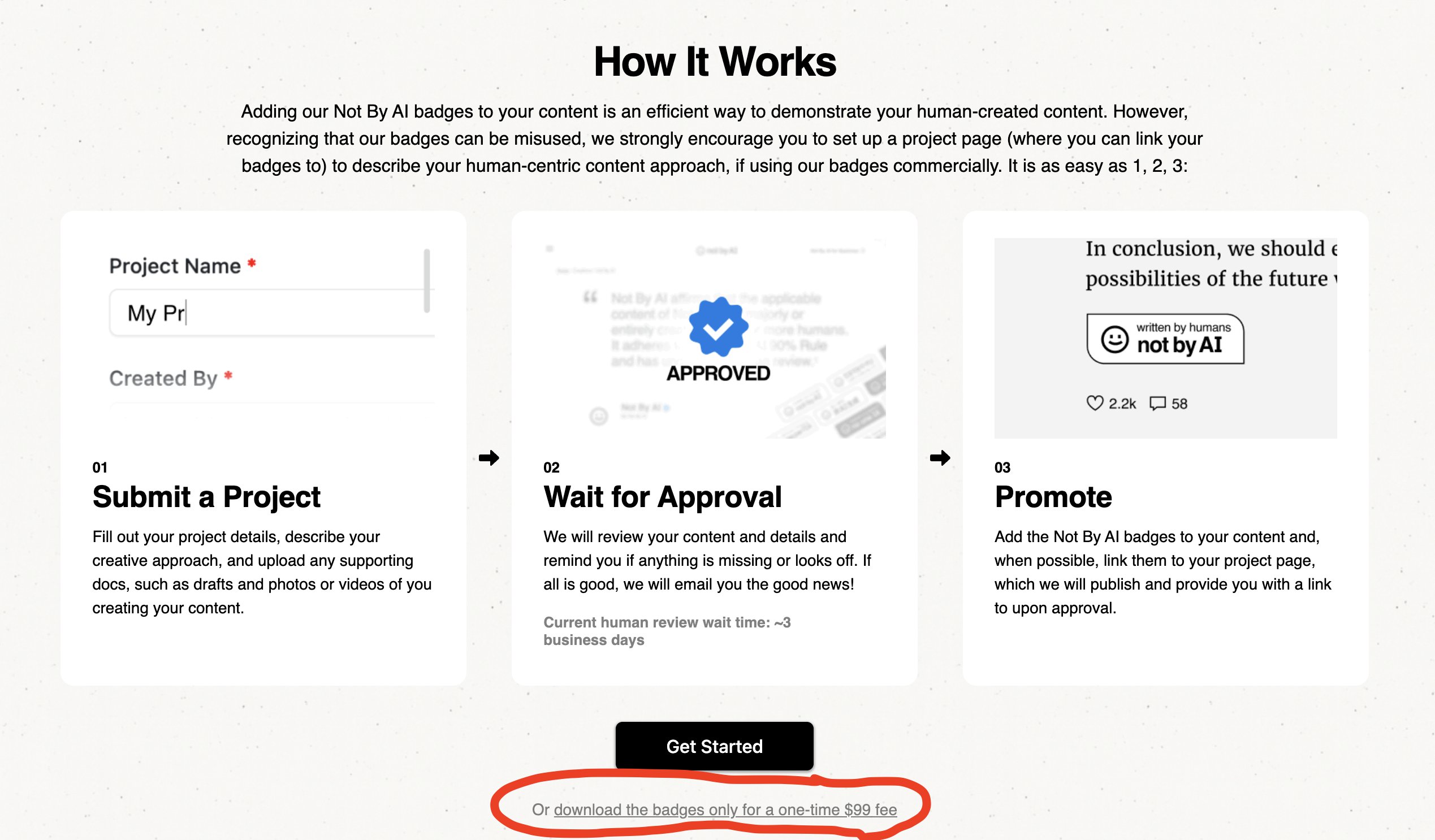 其实Not By AI并不是想钱想疯了,只要博主真的是人工创作,审核过就好了。博主觉得并没有多少人会为了省几天的人工审核时间来交这99美金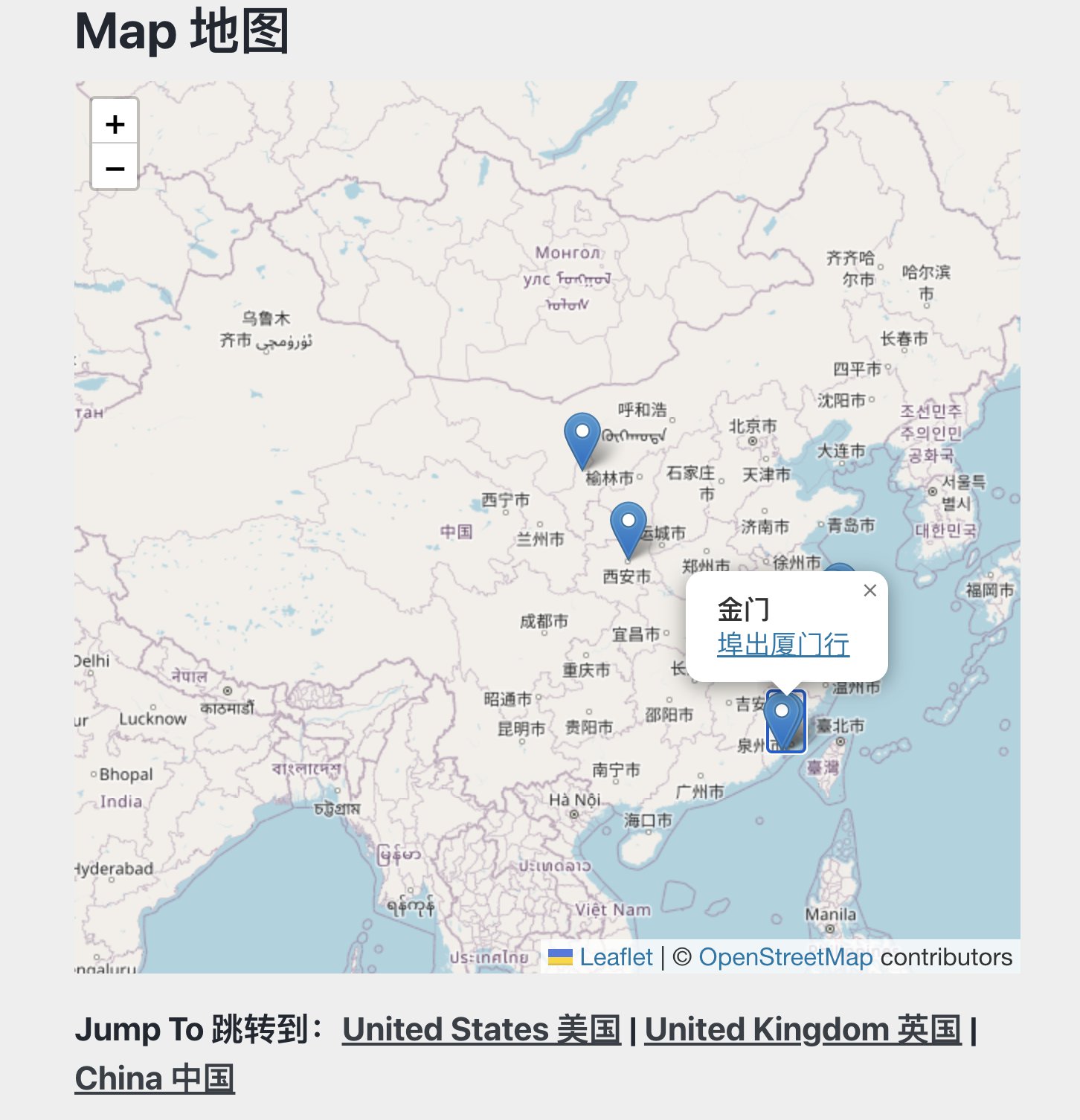
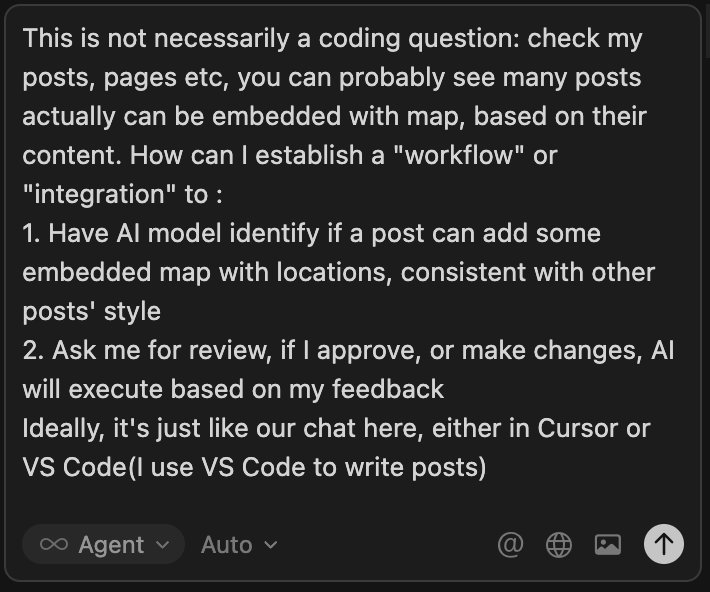 这一长段提示词无非是提需求,让Cursor帮忙出个方案。
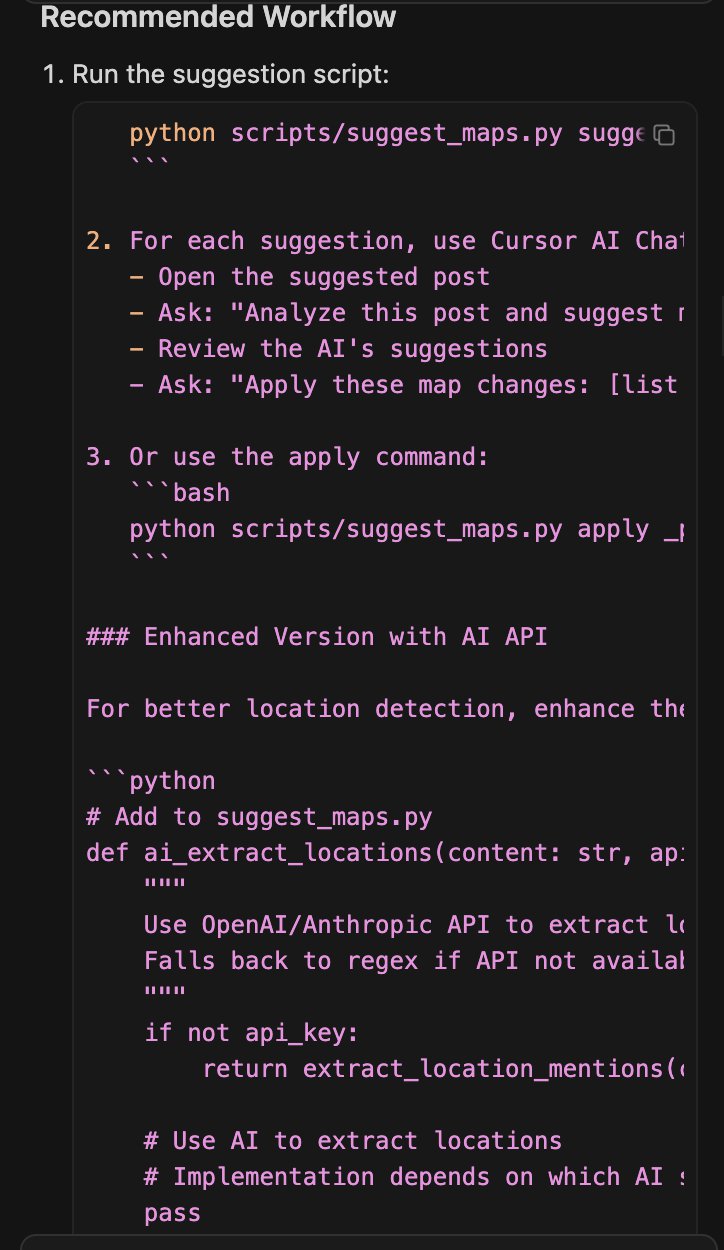 Cursor的最佳方案,需要很多命令行交互,并且需要使用API和LLM提供商例如OpenAI集成。
 二次元入口?
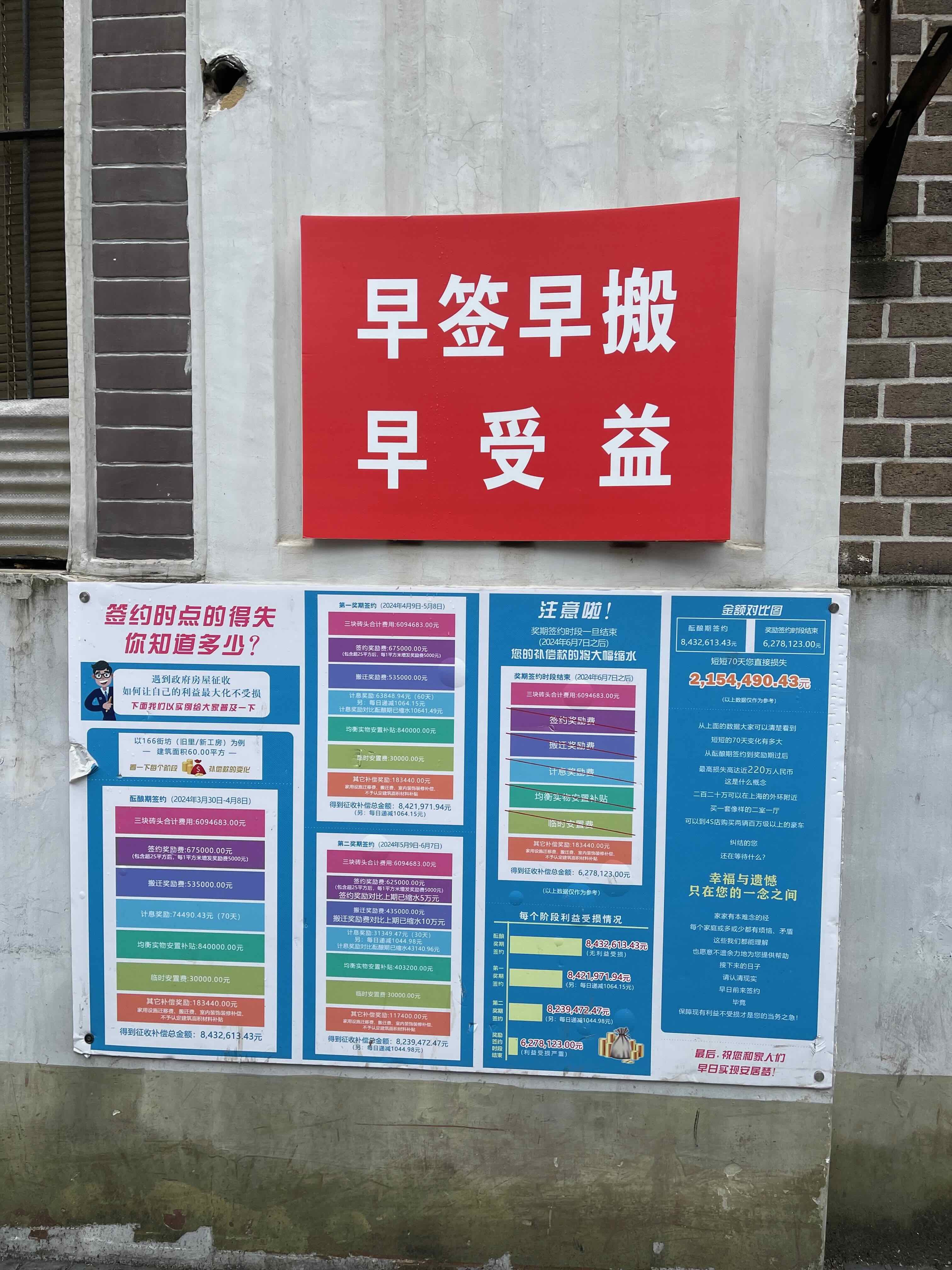 我拍到的时候,“酝酿期”和第二奖期都已经过去了。
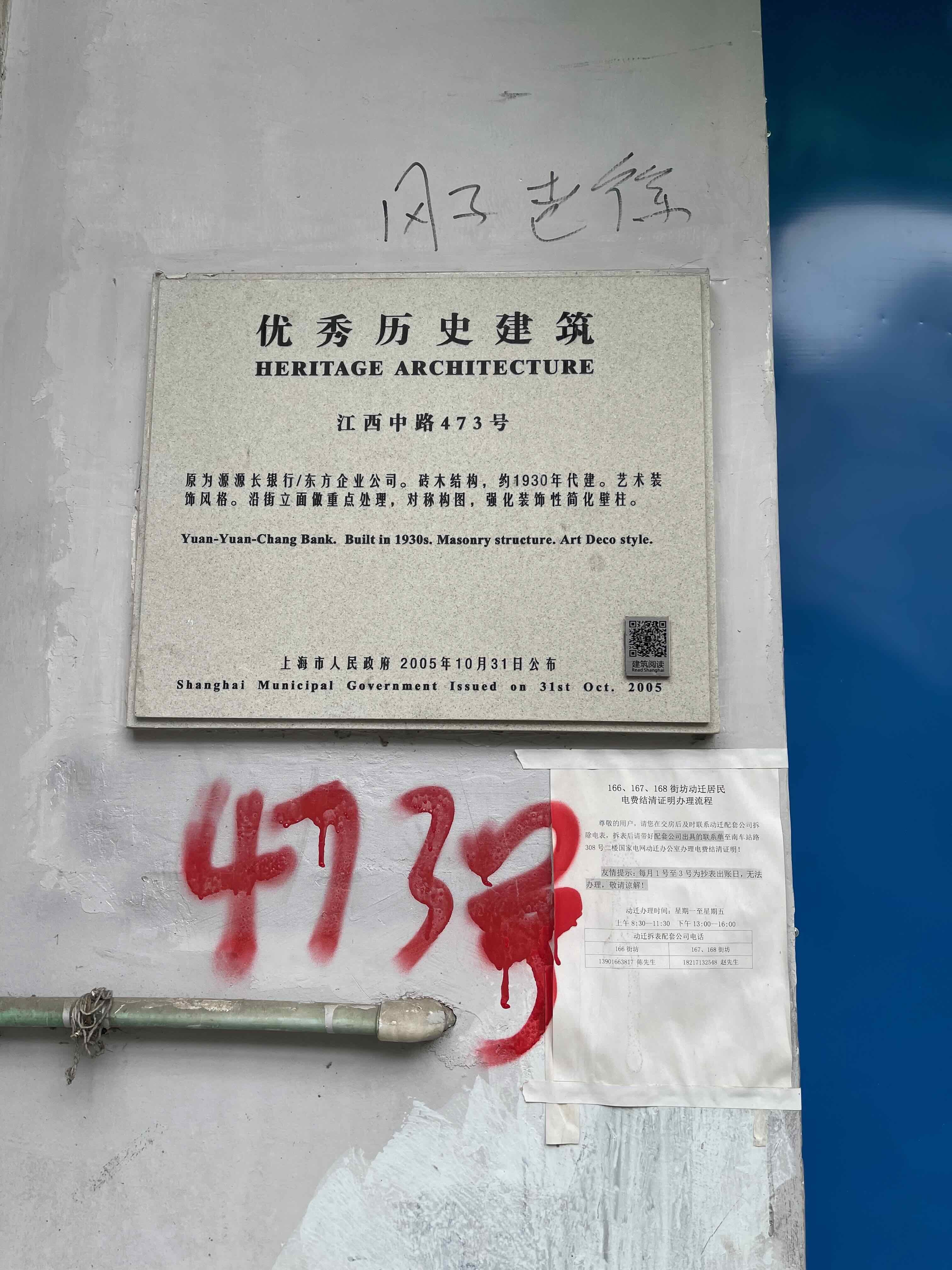 然而2024年终究还是有人在优秀历史建筑上乱涂乱画了,艺术还真是源于生活啊。
 这是莒光楼的“
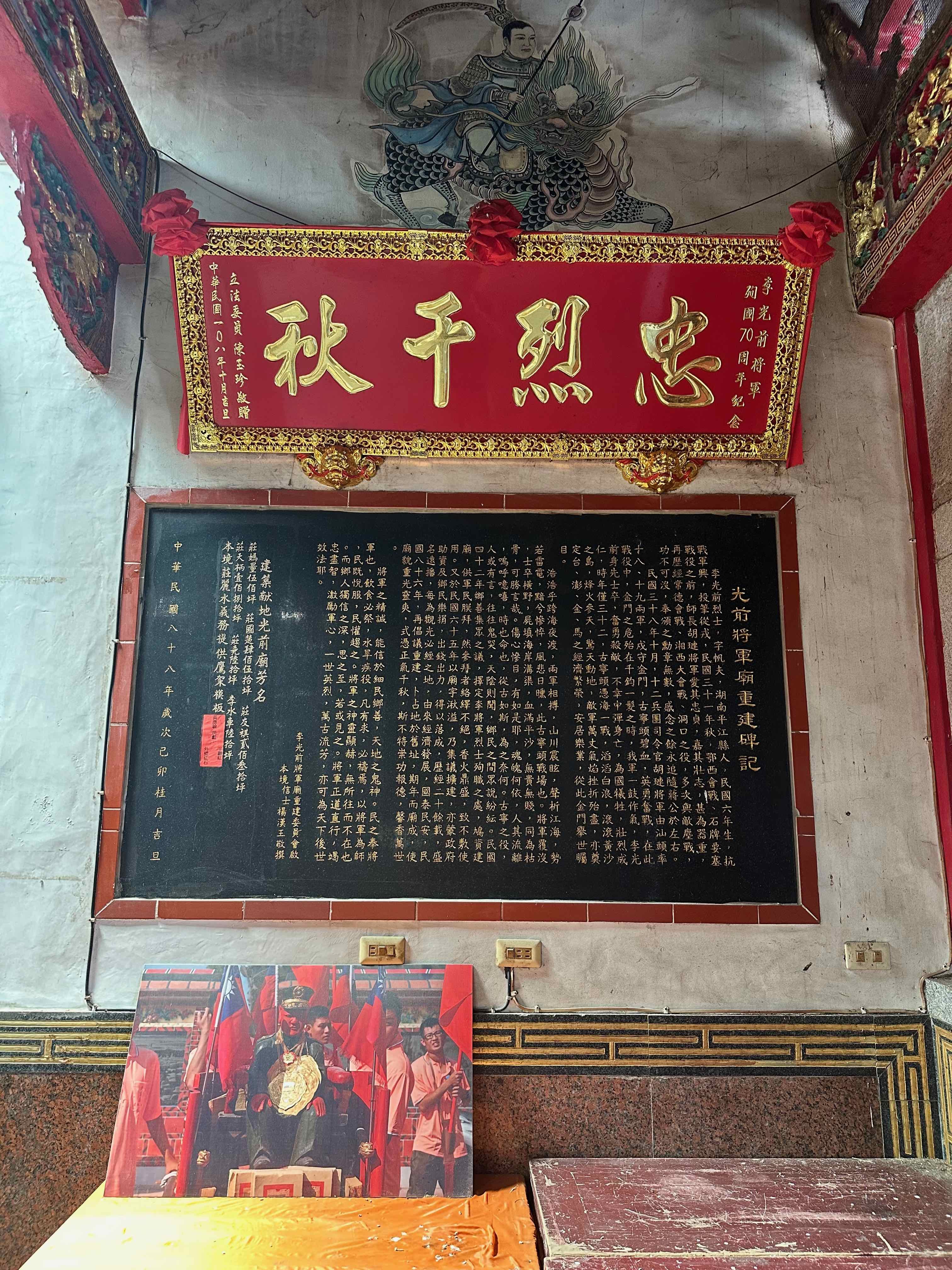 从文字介绍可以了解到,李光前是曾在鄂西、湘西抗战的民族英雄。
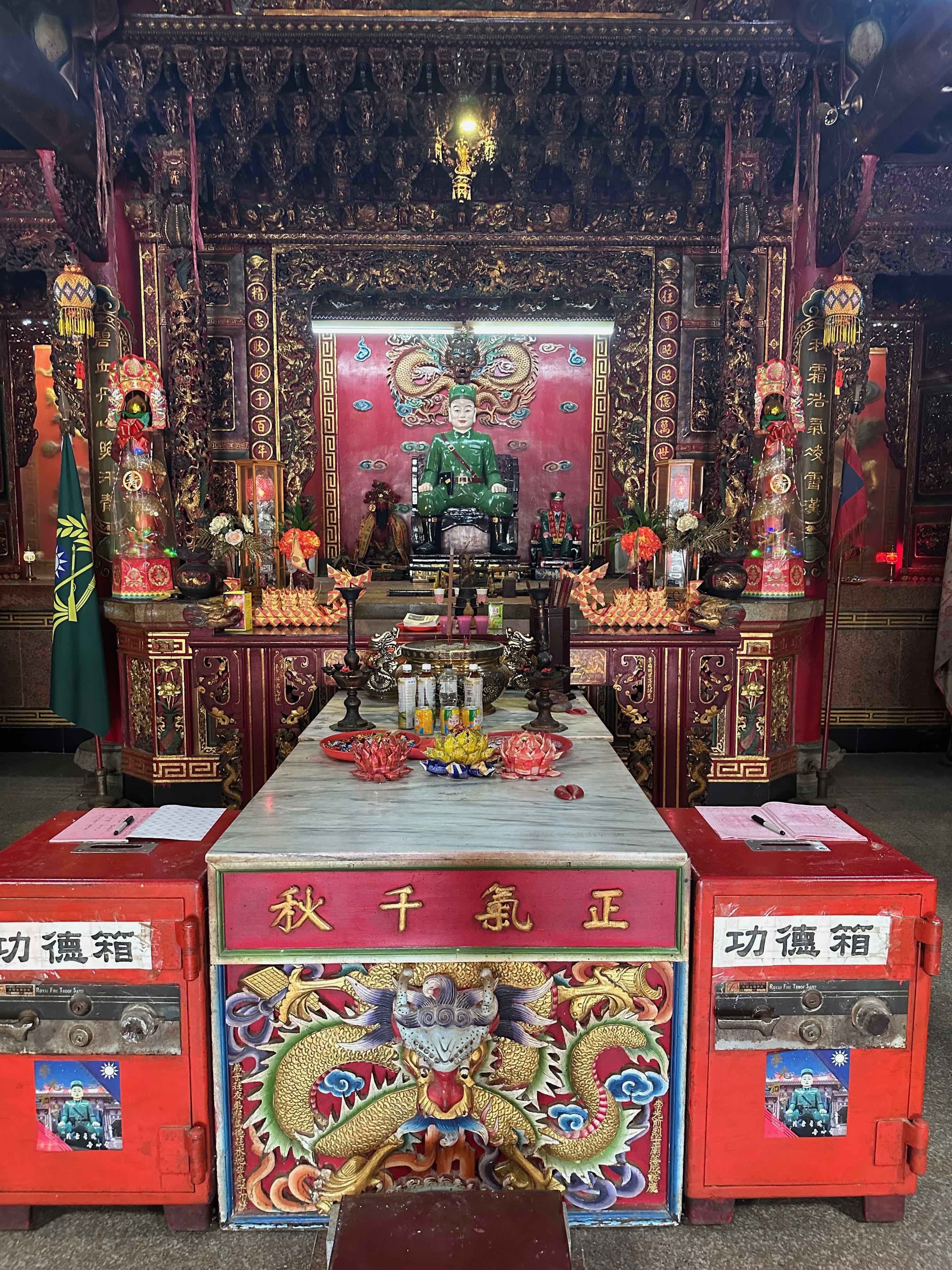 李光前将军庙。
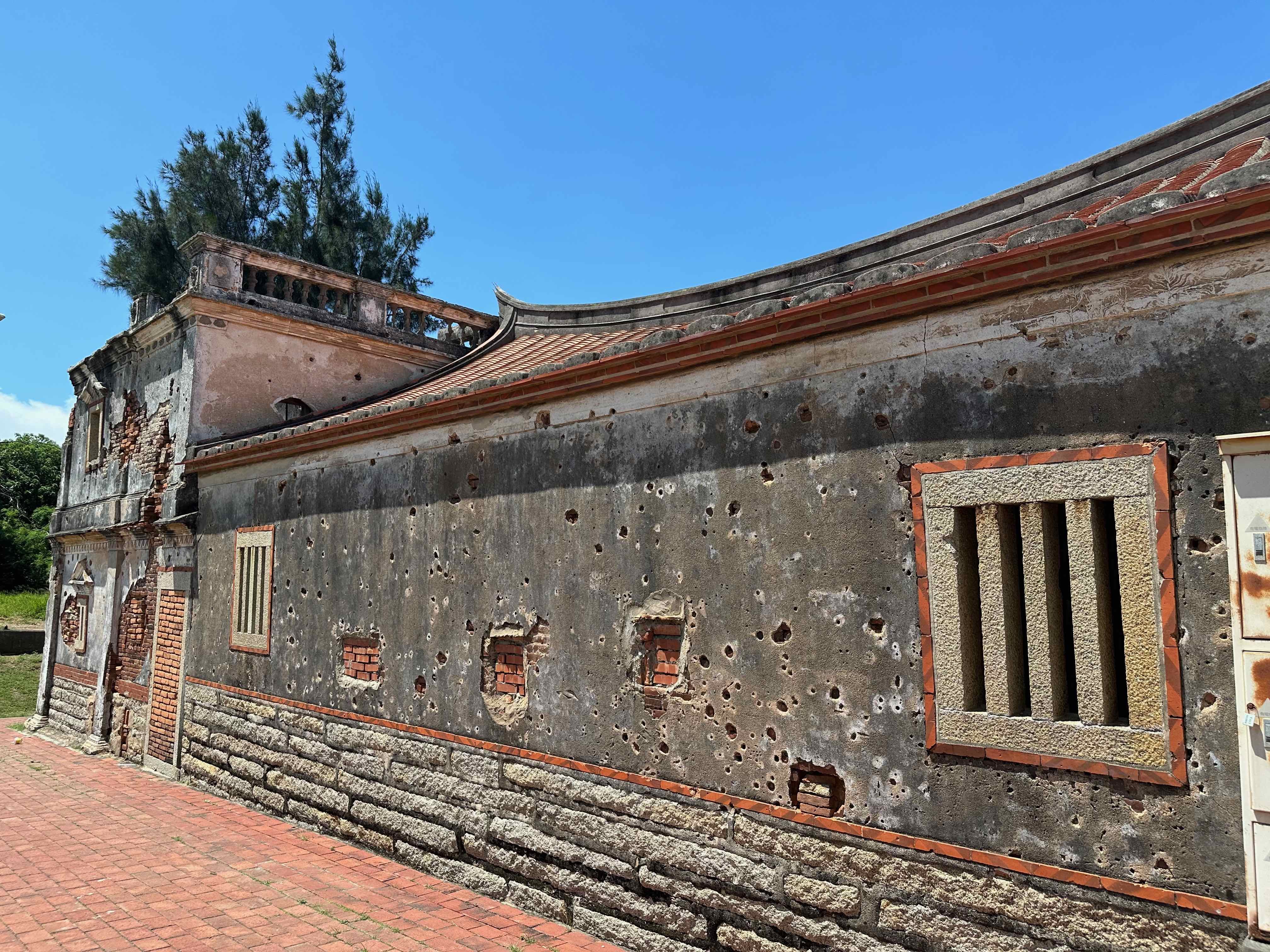 北山古洋楼的一面墙壁。
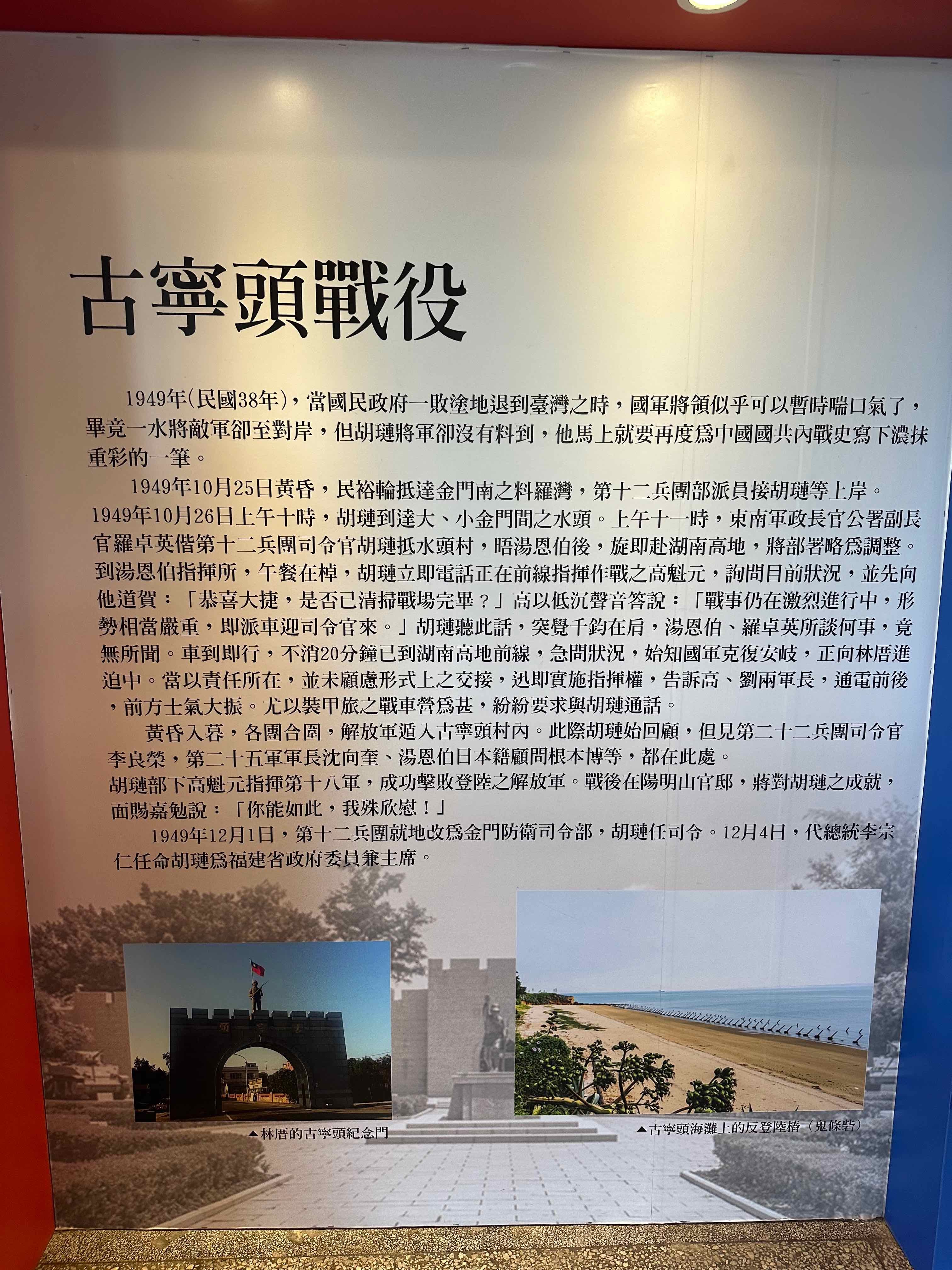
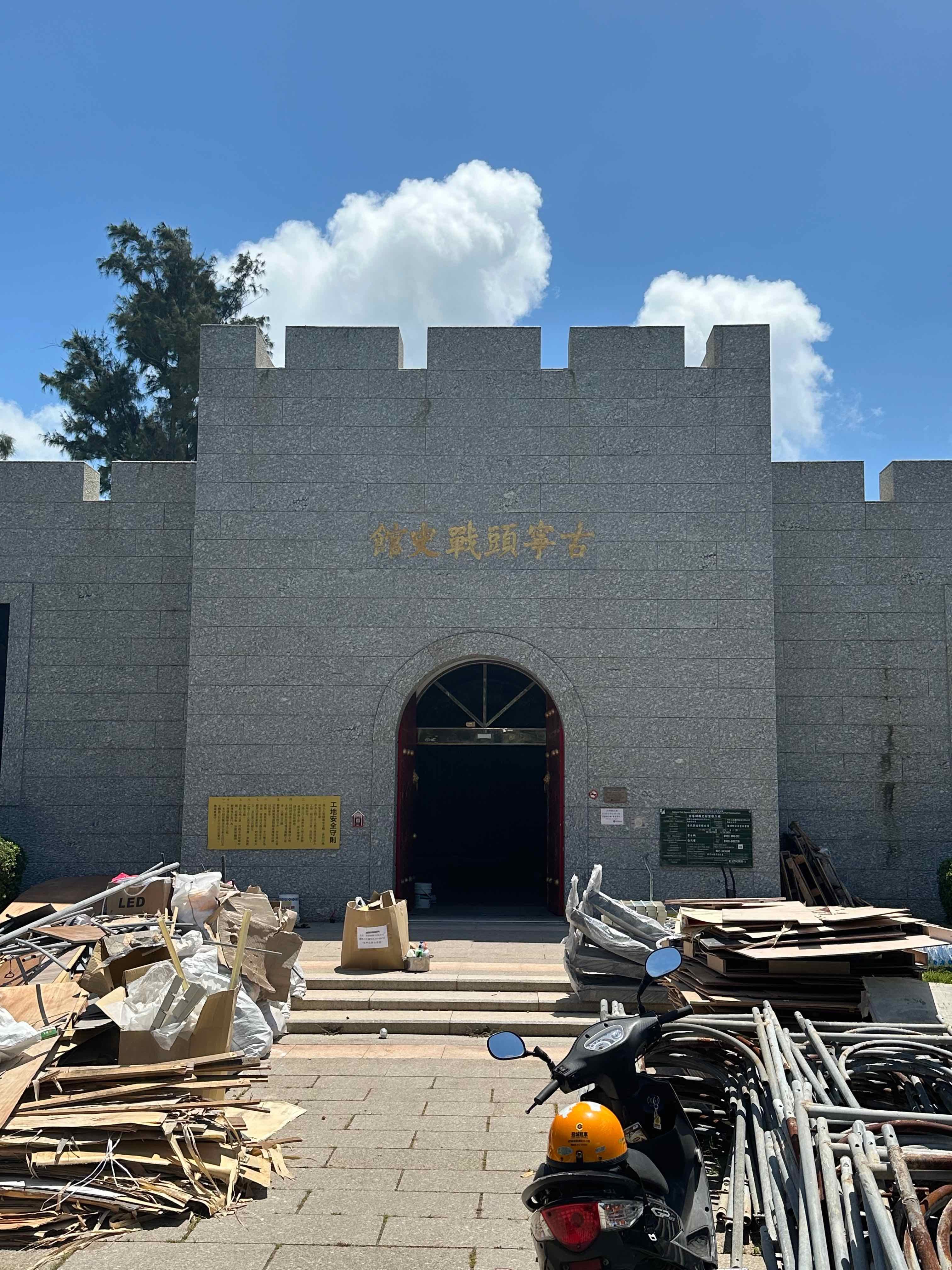 当地有古宁头战史馆,不巧的是我来访时正在维修,不对外开放。维修工程八月底会完工。
 太平洋另一端的金门大桥。
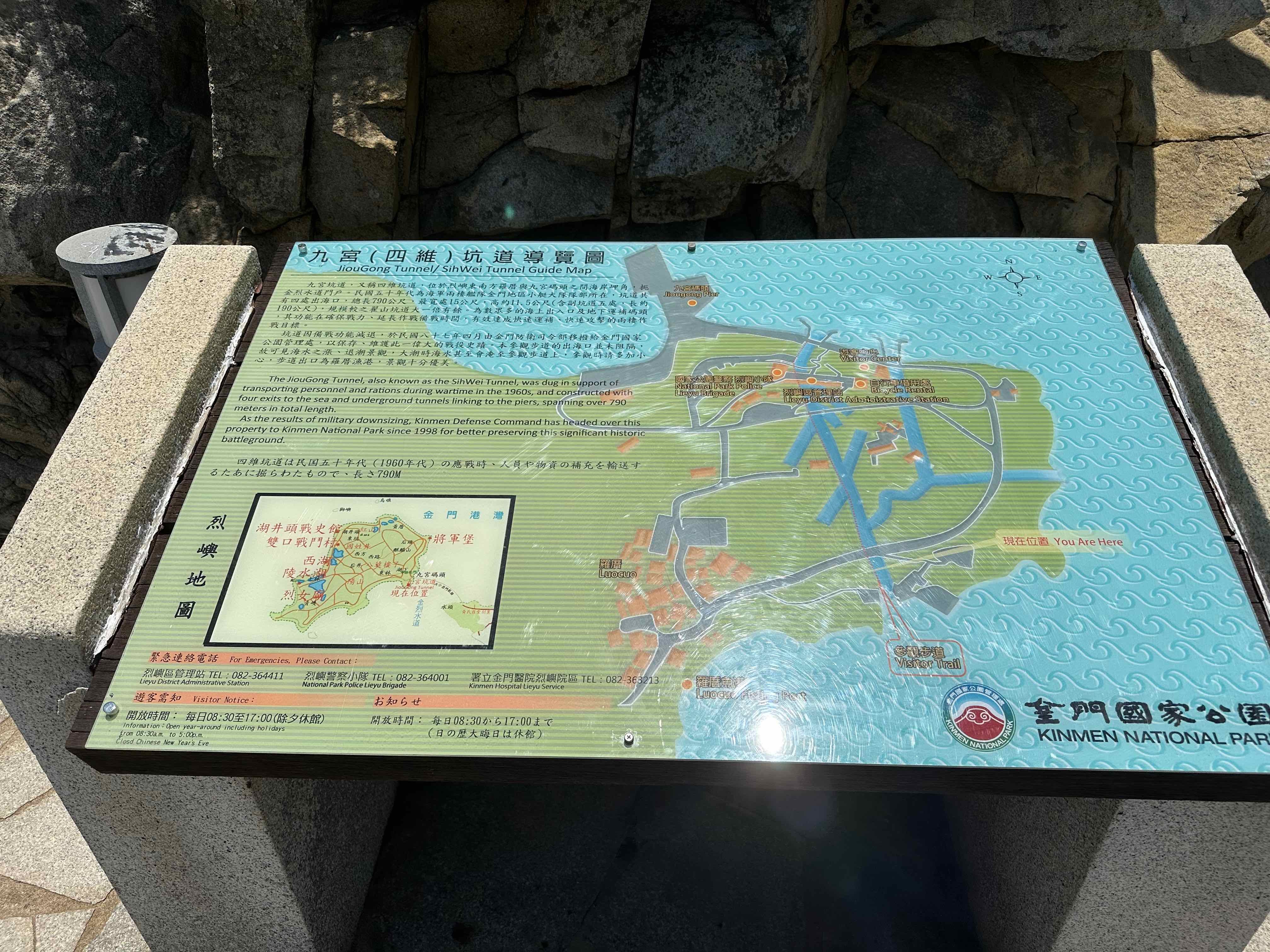 九宫坑道
九宫坑道 没有被击垮,就是胜利。
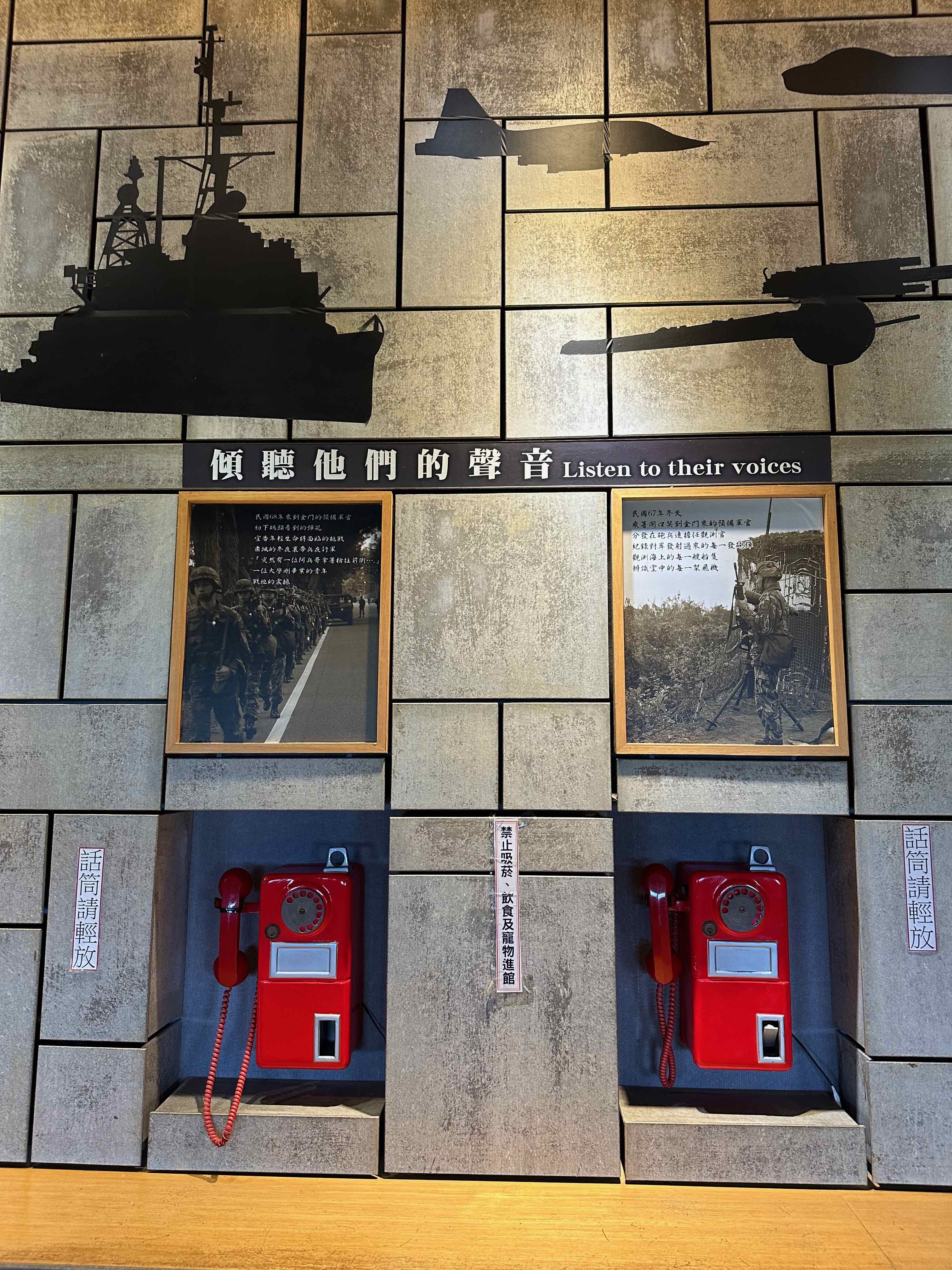 在湖井头战史馆,我们可以从这些话筒里听到几位阿兵哥讲述他们的故事。
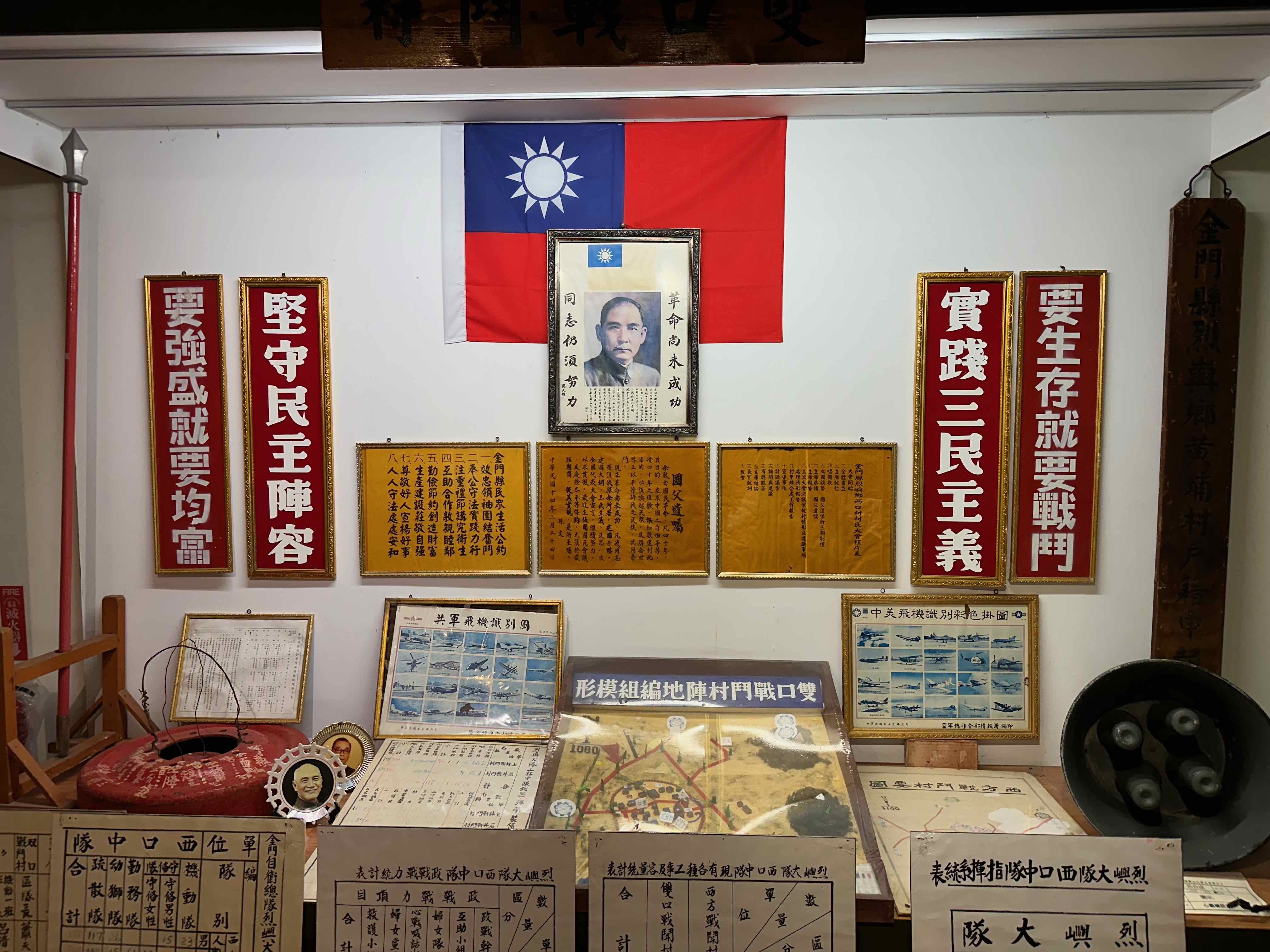 其实和对岸的文革器物也相距不远。
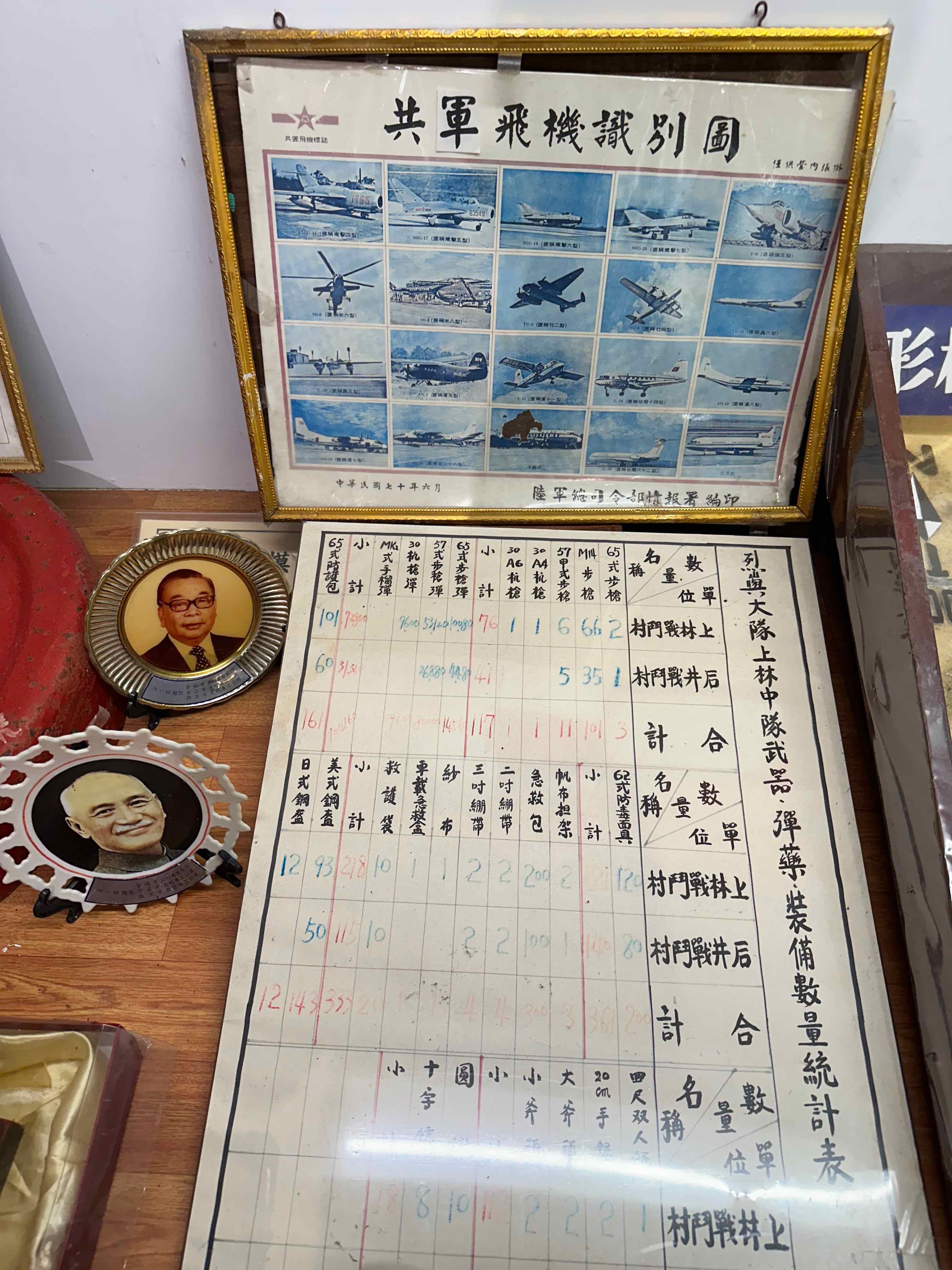 同一张图上其实暴露了它的本来面目
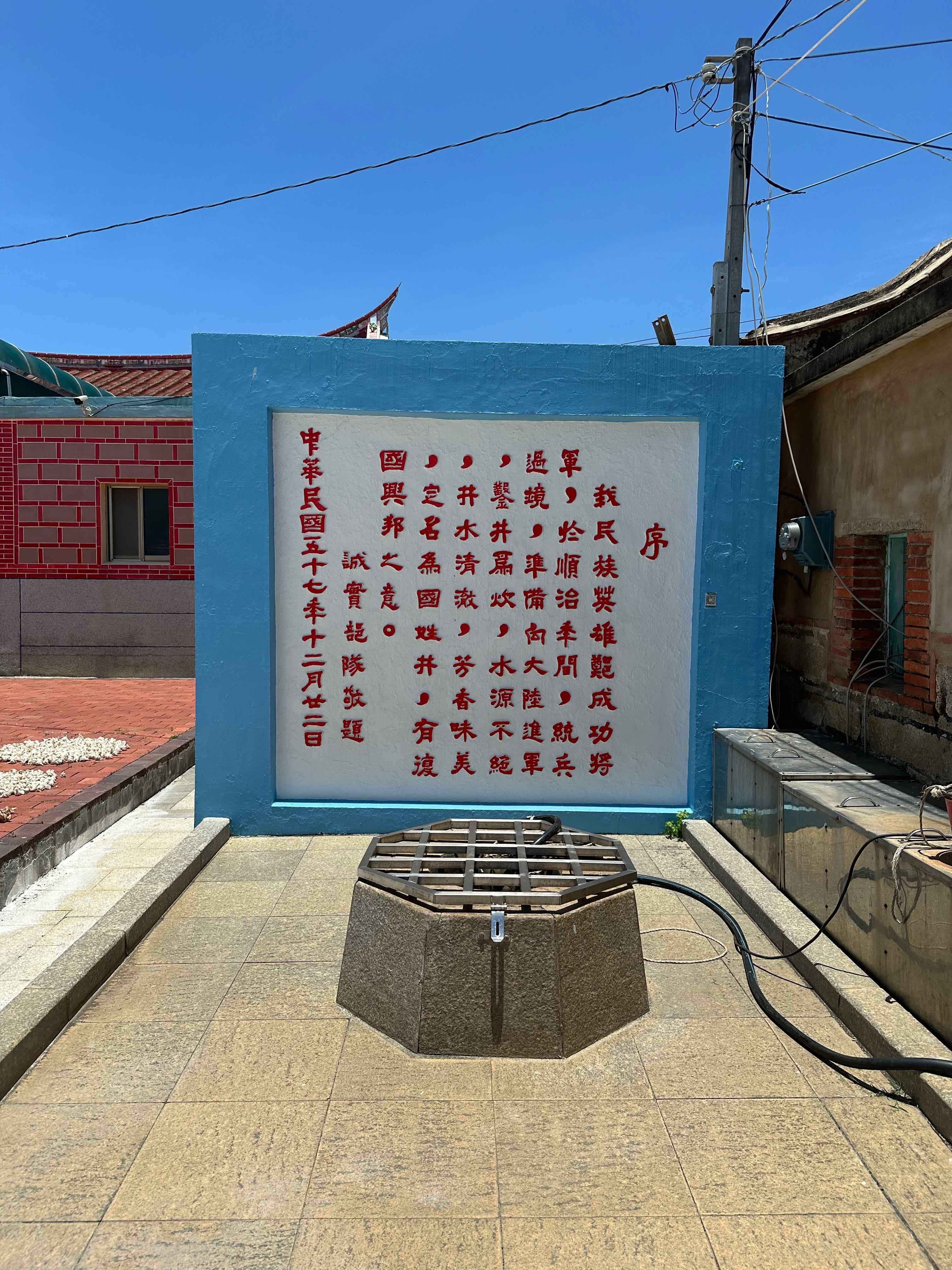 国姓井。
国姓井。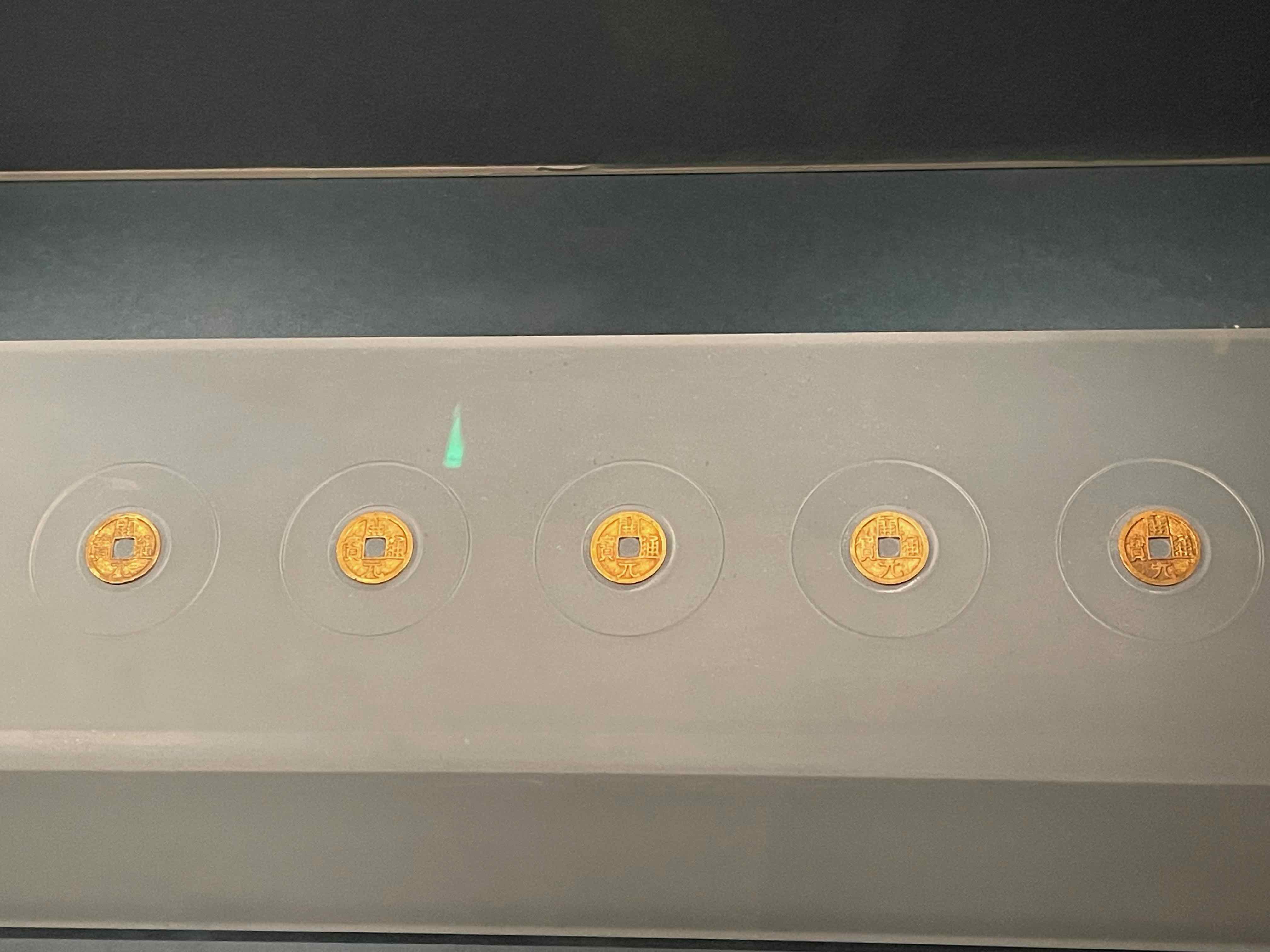 这些金币念什么?
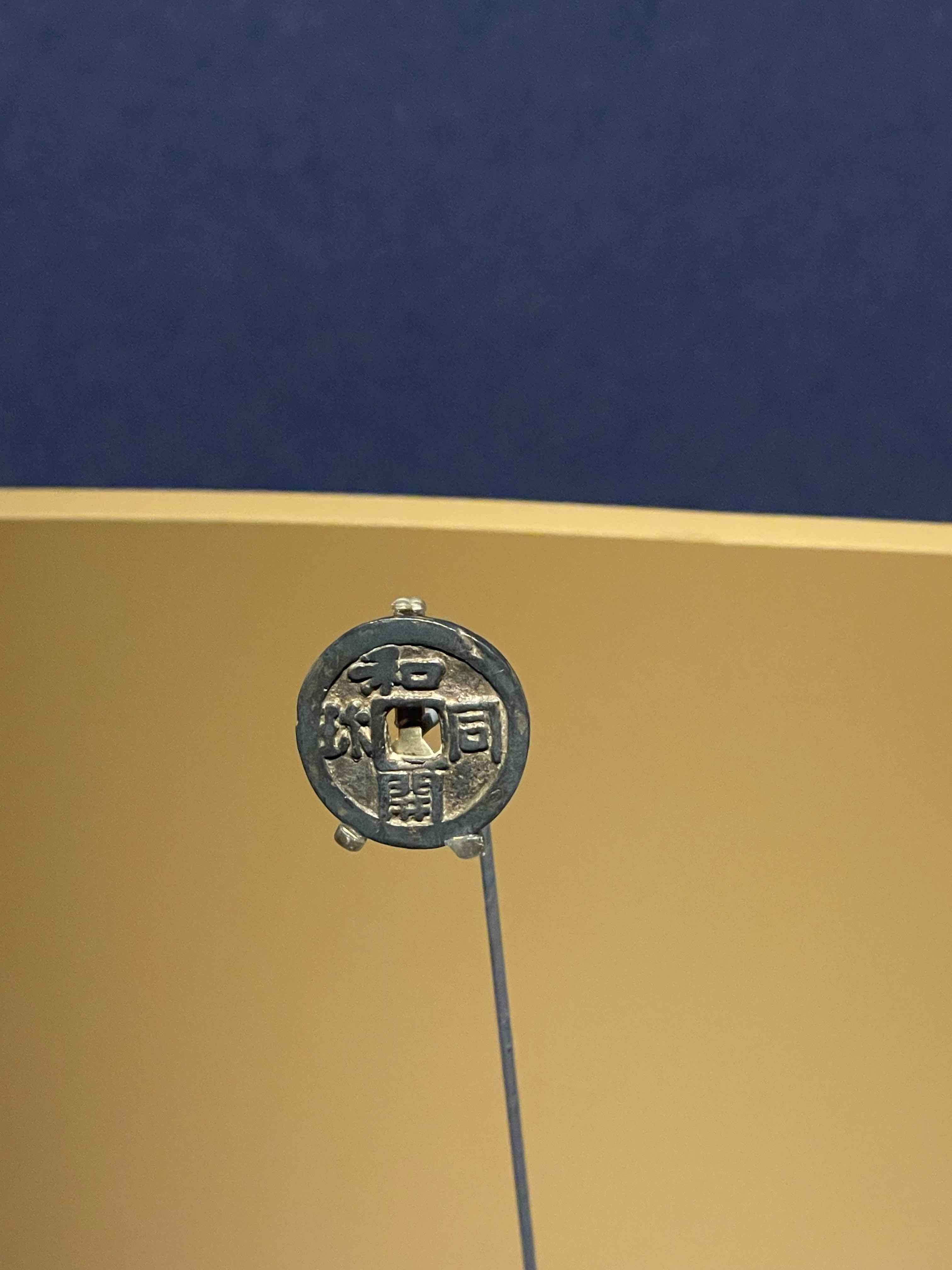 日本钱币和同开珎,珎读音珍(但也有争论)。
 兽首玛瑙杯,分明是来自地中海的丰饶角。
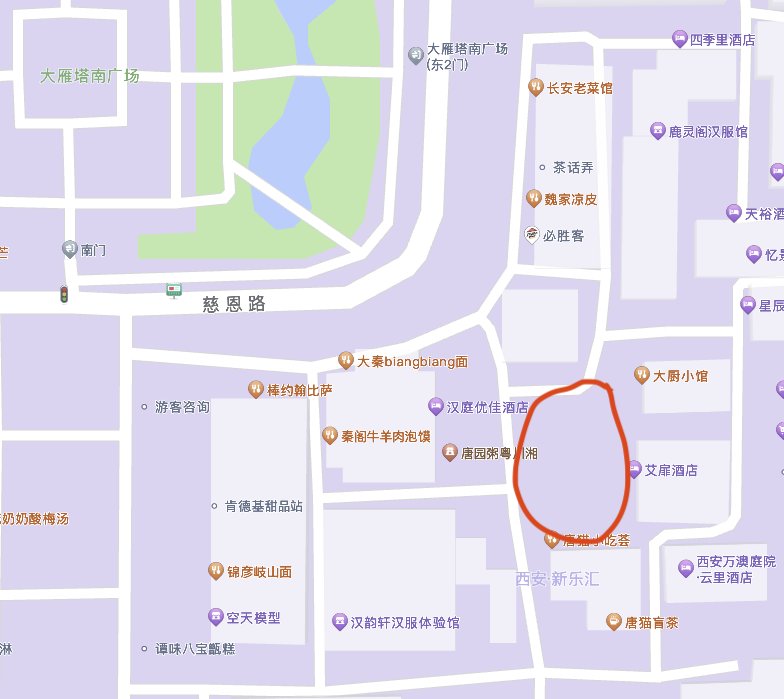 所有自愿或不自愿被套路的人都在这片区域拍照,为汉服拍摄行业爆金币。截图自高德地图。
 我们也是其中之一。
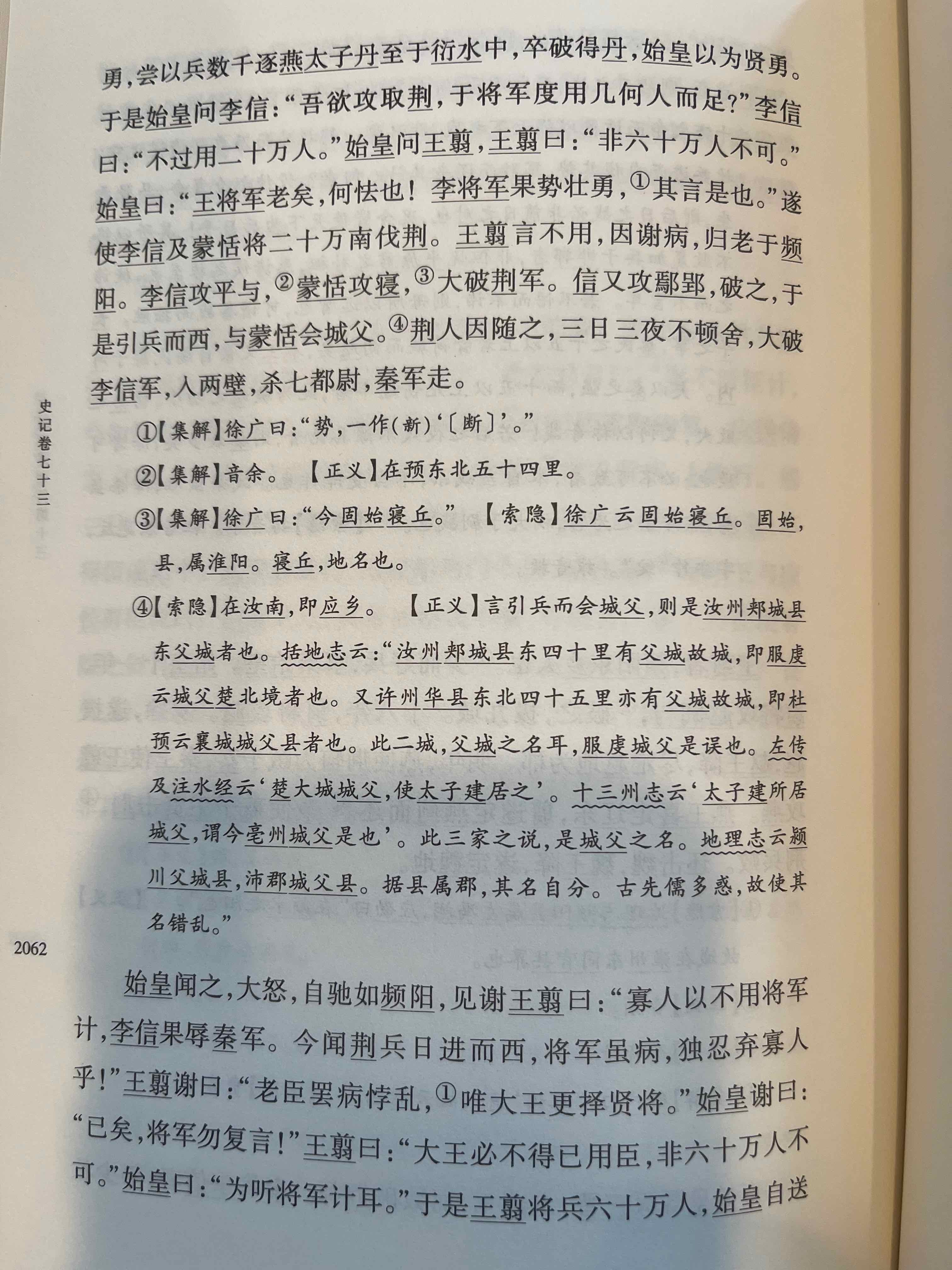 历史背景。
历史背景。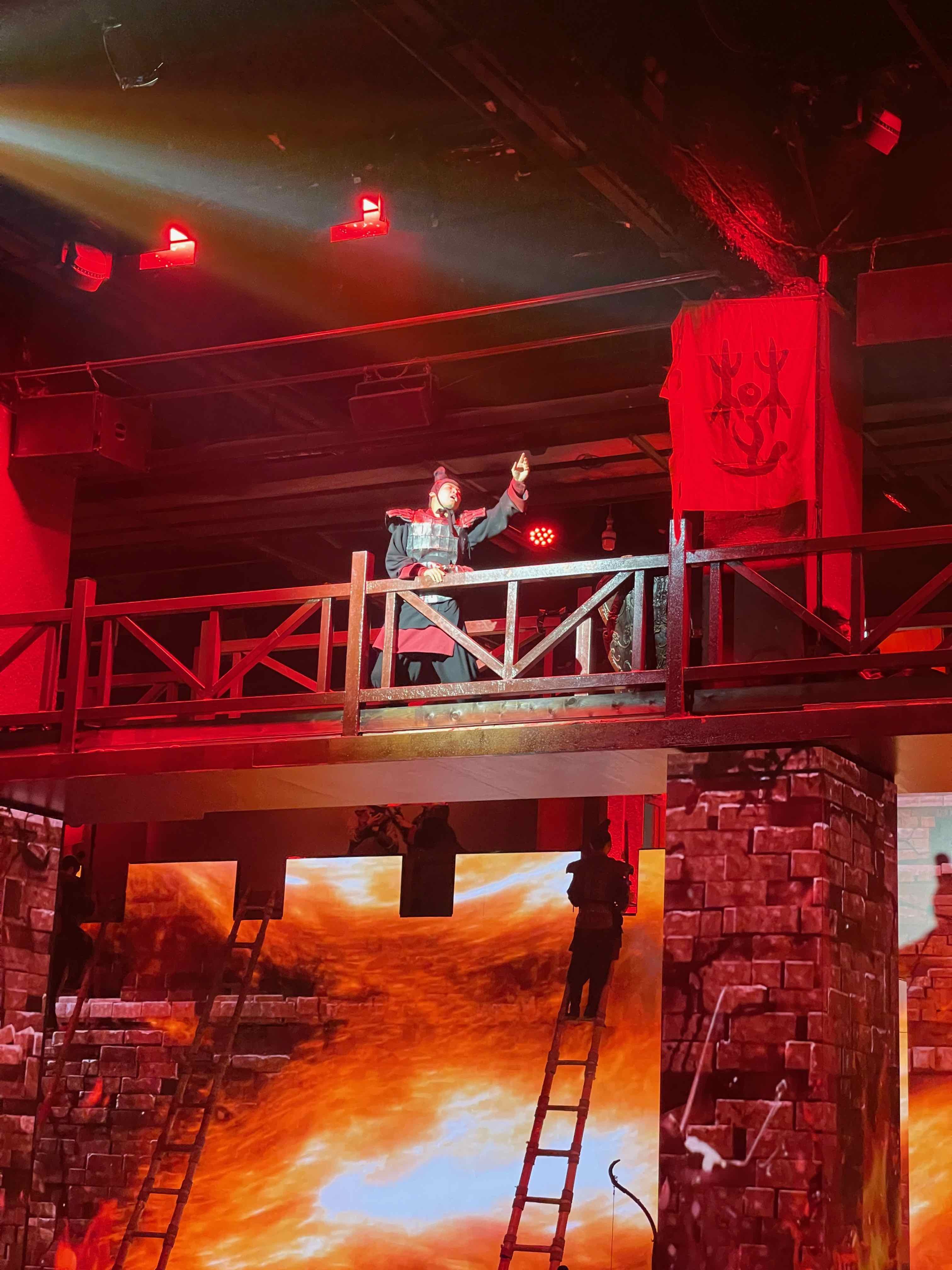 黑夫。
黑夫。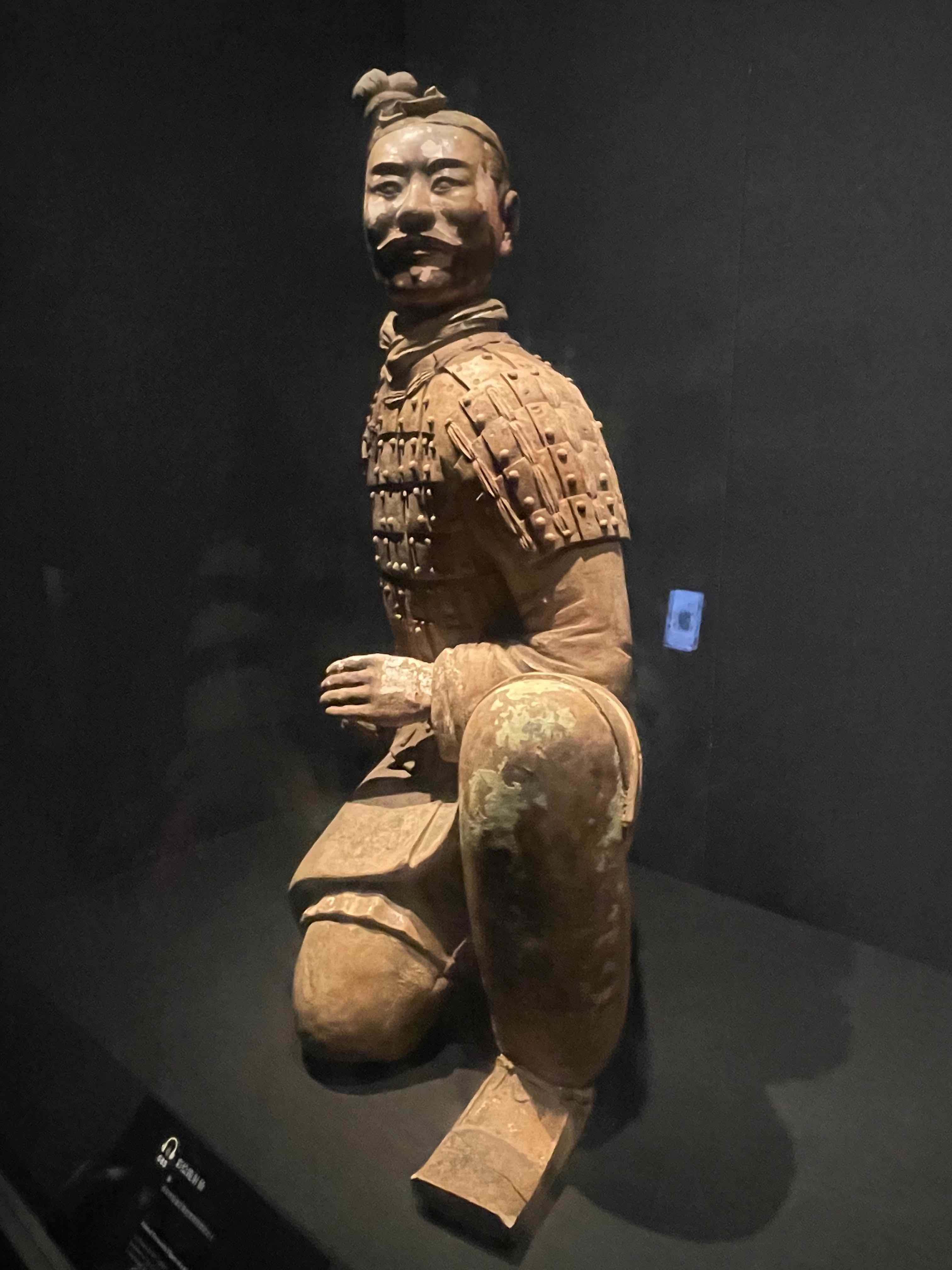 就用一张陕历博的兵甬配图吧。二号坑有一些单兵甬,但是周围全是人。
