
阅读视图


image trees

Another long title for a post will it work or will be cut. Hard to…
Post with a long title.
“hello”
Long title for a post will it work or will be cut. Hard to be sure…
Post with a long title.
Links
Linking between two Apple Notes should work. See link to Metadata [applenotes:note/a7c3a7df-242f-42e6-b62a-4399b0575d0f?ownerIdentifier=_eb06fcf84638b248e9eebdf1eb7b3c67] note.
Use native Apple Notes links. For that just type ">>" and you would be able to select a link.
Another link to Code highlighting [applenotes:note/6e60eca8-b390-4efe-b515-3898416bca20?ownerIdentifier=_eb06fcf84638b248e9eebdf1eb7b3c67].
Here is how links should look in your Apple Note.

Analytics
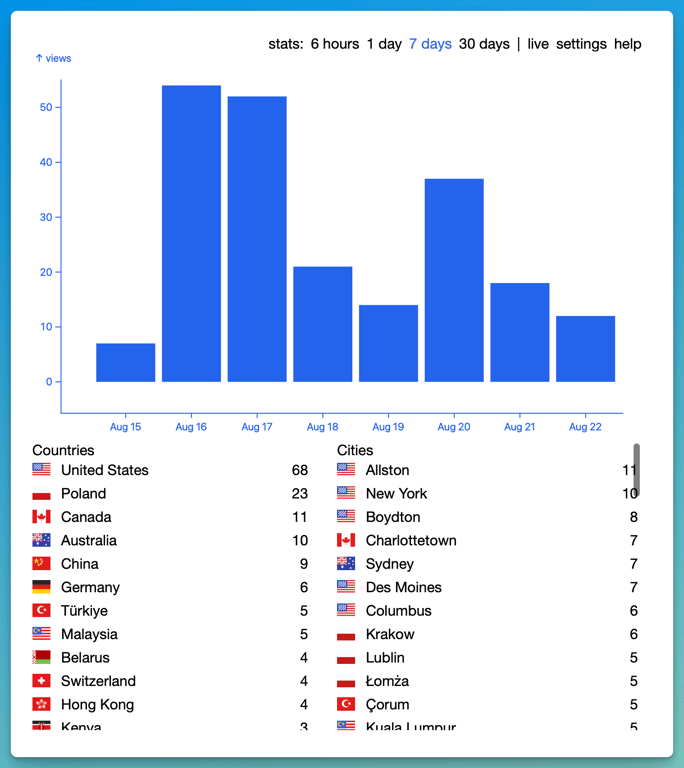
Analytics is available for all the customers on the Pro plan.
You can click the "Stats" link in the settings of your site.
You can see visitors data for the past 6 hours, 1 day, 7 dats and 30 days.
Analytics is gathered server side. It's not 100% accurate (non of the analytics solutions are!), but the benefit is that respects privacy of each individual user.
Limits
Here you can find some Montaigne limits.
How many notes can I have?
The number of notes is unlimited. However, if you uploaded many notes please consider supporting Montaigne by subscribing to one of the plans.How many sites can I have?
The number of sites is unlimited. However, if you created many please consider supporting Montaigne by subscribing to one of the plans.How many images can I upload?
The number of images is unlimited. However, if you uploaded many please consider supporting Montaigne by subscribing to one of the plans.How many audios can I upload?
The number of audios is unlimited. However, if you uploaded many please consider supporting Montaigne by subscribing to one of the plans.How many videos can I upload?
The number of videos is unlimited. However, if you uploaded many please consider supporting Montaigne by subscribing to one of the plans.What is the maximum image size?
50MB is the size limit for one image.What is the maximum audio size?
100MB is the size limit for one audio.What is the maximum video size?
100MB is the size limit for one video.
How to add top menu
If you want to have menu on the top of the page(in the header), please add a table link this:
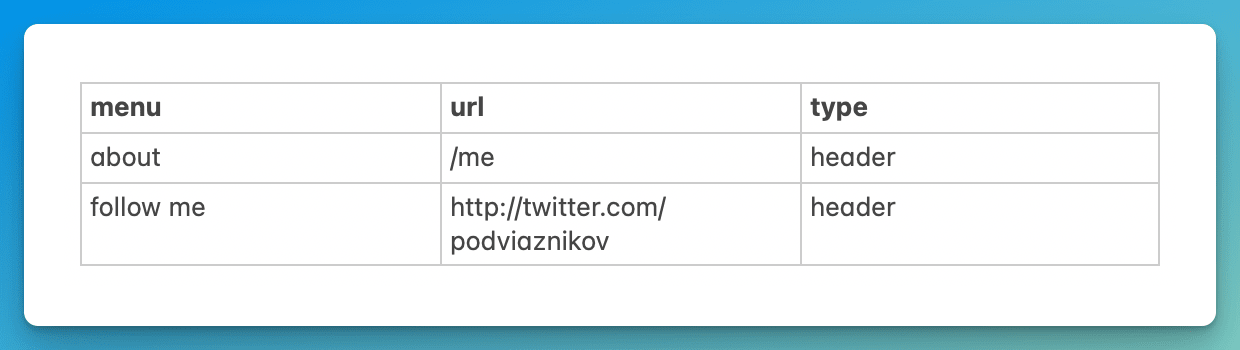 You need a table with three columns:
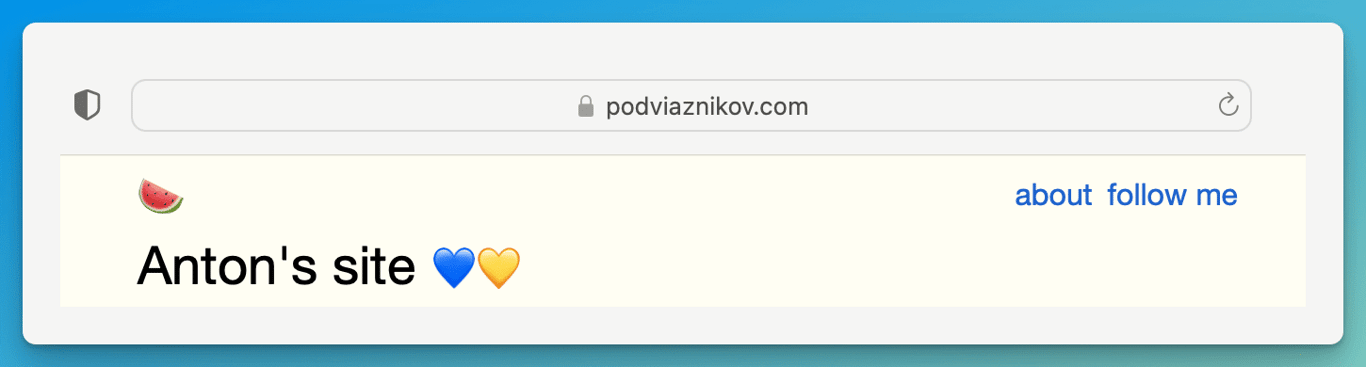
- menu - name of the menu item
- link - menu item relative or absolute link
- type - header
How to start a newsletter
If you want to have a newsletter integrated with your Montaigne site do the following
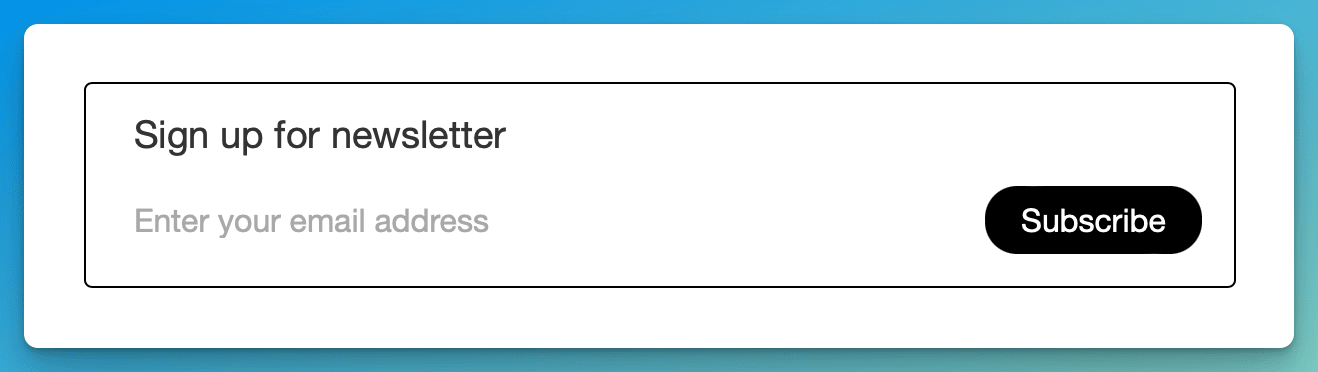 Done! Now you have your own newsletter and people can subscribe to it from your site.
- Go to https://recur.email or http://newsletter.new and signup for free account.
- Create your newsletter. If your newsletter is named "example" you will get dedicate signup page like "example.recur.email"
- Copy this link "https://example.recur.email" and insert it anywhere inside your Montaigne's note.
How to add custom menu
If you want to add site navigation you need to create menu table inside your root “index” note.
This table should look like this:
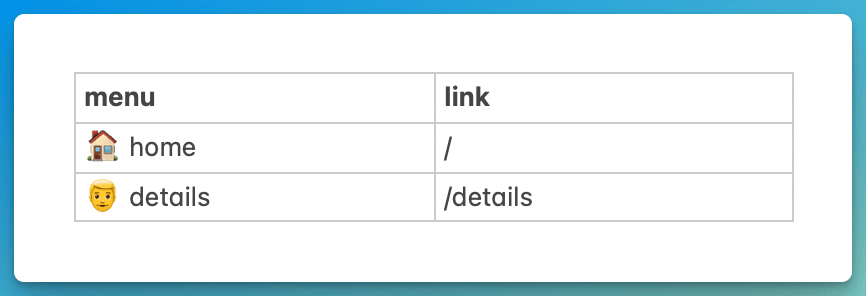 So you need a table with two columns:
- menu - name of the menu item
- link - menu item relative or absolute link
How to render code
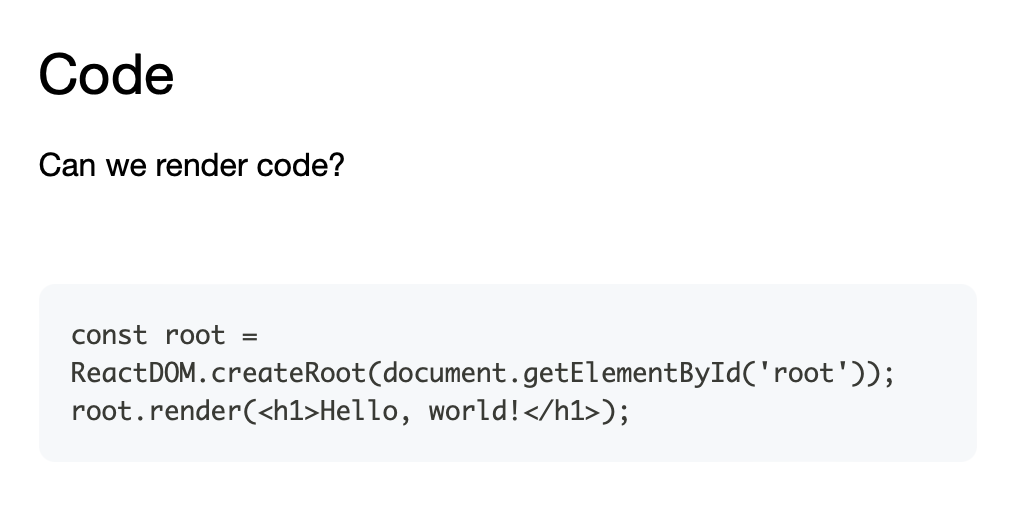
If you want to render code you need to pick “Monospaced” option in the formatting like this.
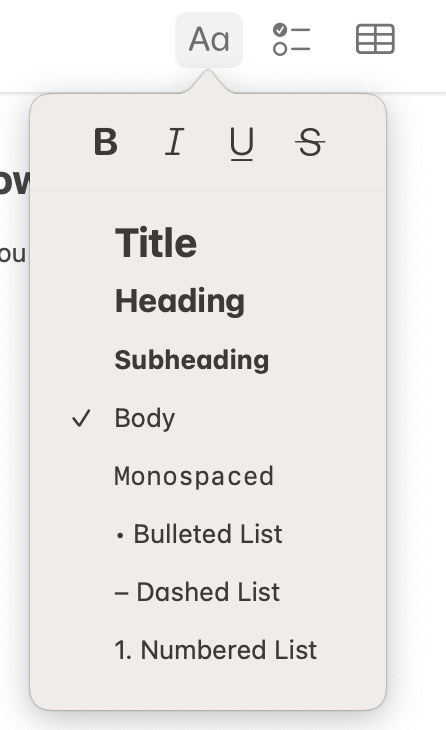 After you do that, your code will be rendered with the grey background - GitHub style.
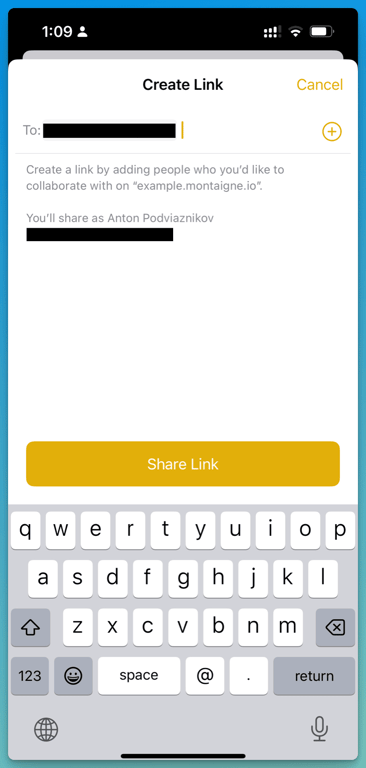
How to share folder on iOS
If you want to share Apple Notes folder on iPhone you need to long press “Invite with Link”.
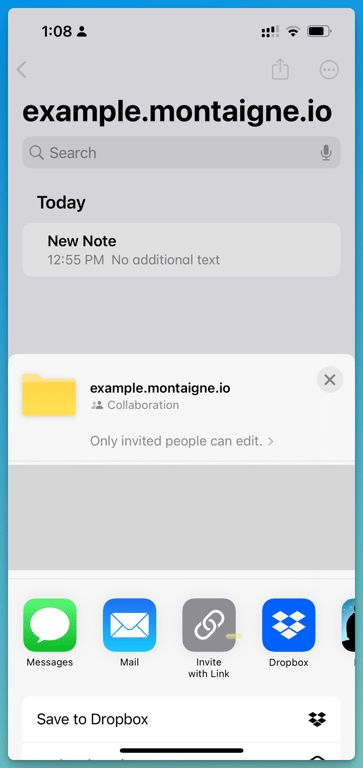 Type “hi@montaigne.io” and press “Share Link”.
Spell check
Apple Notes have native spell checker build in. This is one of the benefits of using native tools.
