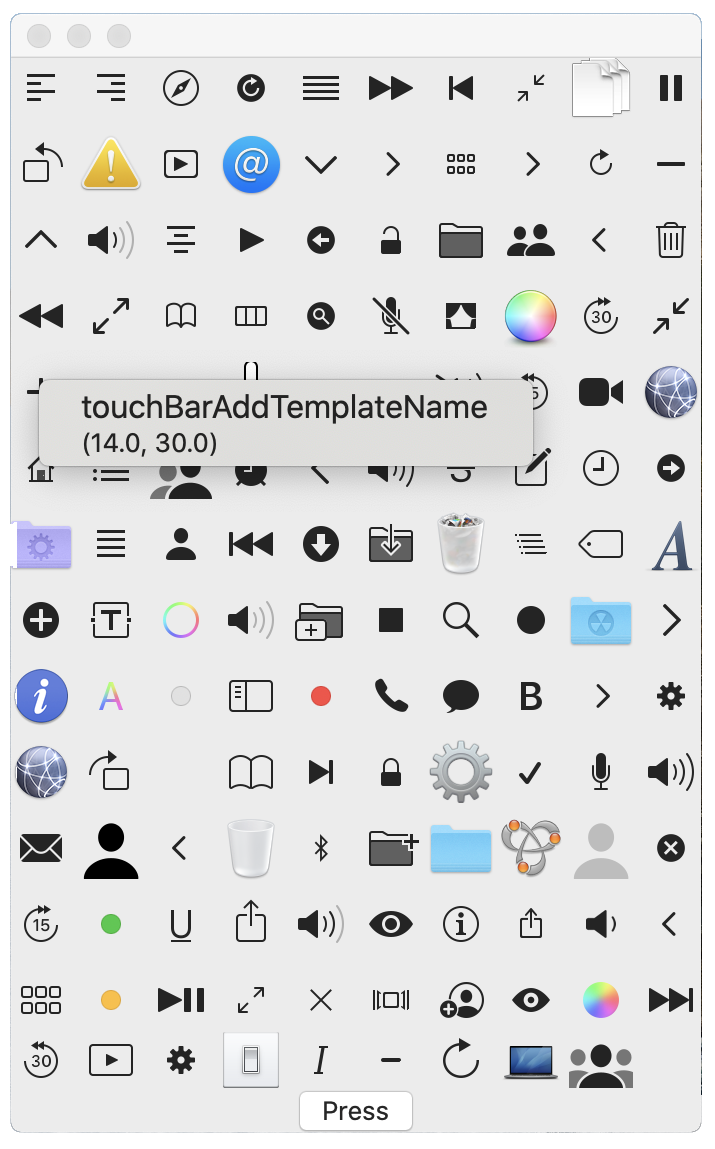
extensionImageNameDemoView{ funcgetNSImageName(_ s: String) -> String { var r = "NS\(s.prefix(1).capitalized)\(s.suffix(s.count - 1).prefix(s.count - 5))" if r == NSImage.applicationIconName { r = "" } return r } }
var columnNumber = 10 @Statevar images: [String] = []
var body: some View { VStack { ForEach(0 ..< images.count / columnNumber + 1, id: \.self) { y in HStack(spacing: 5) { ForEach(0 ..< self.columnNumber, id: \.self) { x in VStack(spacing: 5) { if x + y * self.columnNumber < self.images.count { // replace Text with Image Text("\(self.images[x + y * self.columnNumber])") } }.frame(width: 30, height: 30) } } } Button("Press") { self.getImages() { l in self.images = l } } } } }
下面把中间的文字换成有右键菜单的图片:
1 2 3 4 5 6
Image(nsImage: NSImage(named: self.getNSImageName(self.images[x + y * self.columnNumber])) ?? NSImage()) .contextMenu { Text("\(self.images[x + y * self.columnNumber])") .font(.system(size: 16)) Text("\(NSImage(named: self.getNSImageName(self.images[x + y * self.columnNumber]))?.size.debugDescription ?? "")") }
Sub OnSlideShowPageChange() Select Case ActivePresentation.SlideShowWindow.View.CurrentShowPosition Case 1 WebBrowser1.Navigate (ActivePresentation.Path + "\main.html") End Select End Sub
<figureclass="highlight javascript"> <table><tbody><tr> <tdclass="gutter"> <pre> <spanclass="line">0</span><br> <spanclass="line">1</span><br> <spanclass="line">2</span><br> </pre> </td> <tdclass="code"> <pre> <spanclass="line">"a "<spanclass="keyword">very</span>" very long line"</span><br> <spanclass="line">a very very long line</span><br> <spanclass="line">a very very long line</span><br> </pre> </td> </tr></tbody></table> </figure>
不过不得不吐槽一下,查询过程当中裁判文书网大部分时间都处于“系统繁忙,请您稍后再试”的状态,搜索实在难以完成。当我看到有一个注册界面的时候,我朴素的以为由于我不是注册用户,搜索享受着爬虫待遇。结果不仅注册无法完成,“用户名查重失败:Index was outside the bounds of the array.”;而且找朋友借了一个账号后搜索速度完全没有好转。